Simplifying Enterprise Workflows Across CRM, Helpdesk, And Communication Modules For A Customizable B2B SaaS Platform Used By Support Teams, Sales Teams, And Operations Managers.
Content
Context & Product Complexity
Problem Landscape
Research & Insights
Design Strategy
Solution Architecture
Key Feature Redesigns
Validation & Iteration
Impact & Business Outcomes
Design System & Scalability
Reflection & Learnings
Context & Complexity
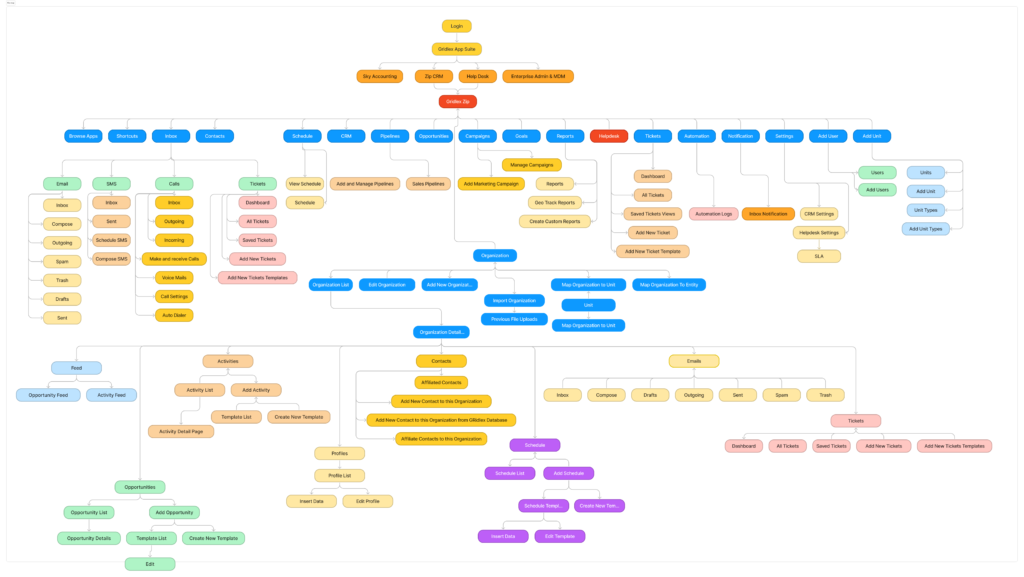
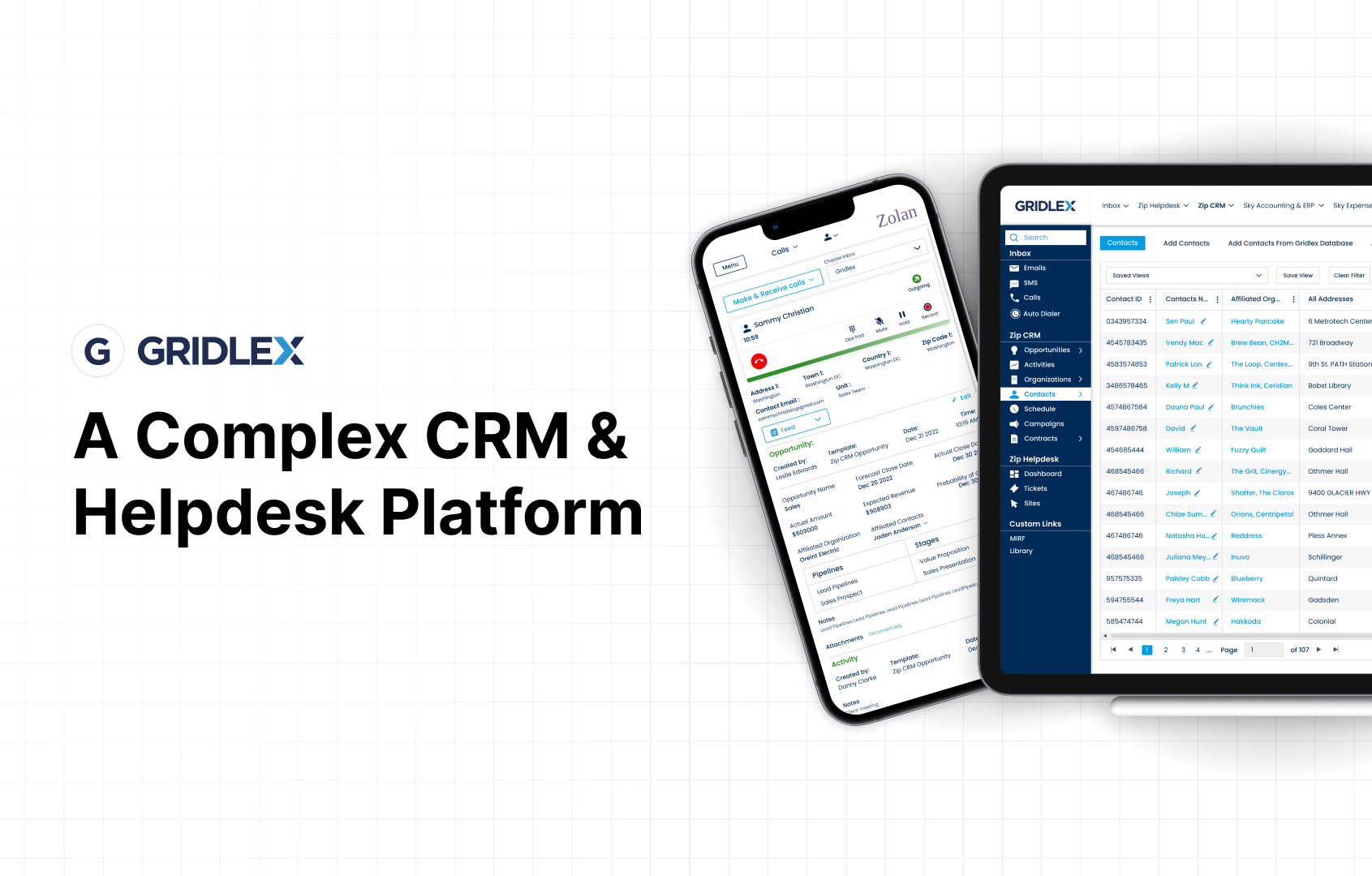
This Product is a highly customizable B2B SaaS platform combining CRM, Helpdesk, ITSM, and automation into a unified system. The platform supports several operational workflows including:
Customer relationship management
Ticket handling
Communication channels
Automation
Integrations
Reporting
Over time, the product expanded rapidly, adding multiple modules such as:
Organization management
Opportunity pipeline
Shared inbox
Ticketing
Automation
Form builder
3rd Party App Integrations
However, this growth introduced complexity, inconsistent UI patterns, and fragmented workflows, making the system difficult to navigate and operate efficiently.
Problem Landscaping
Legacy UI & Inconsistent Components: Different modules used different interaction patterns, creating inconsistency across the platform.
Fragmented CRM Workflows: Key entities like Organizations, Contacts, and Opportunities lacked smooth relationships and workflows.
Inefficient Data Import: The file import workflow lacked validation and clear feedback.
Poor Helpdesk Automation: Ticket automation was limited and required manual intervention.
Difficult Form Creation: The form builder required technical knowledge.
Communication Workflow Complexity: Calling modules, inboxes, and messages lacked unified context.
Weak Product Communication: Website and pricing pages failed to clearly communicate product capabilities.
Research & Insights
Stakeholder Interviews Product Managers and Customer Success teams
User Workflow Analysis Observed CRM and Helpdesk users
Heuristic Evaluation Using Nielsen’s usability heuristics
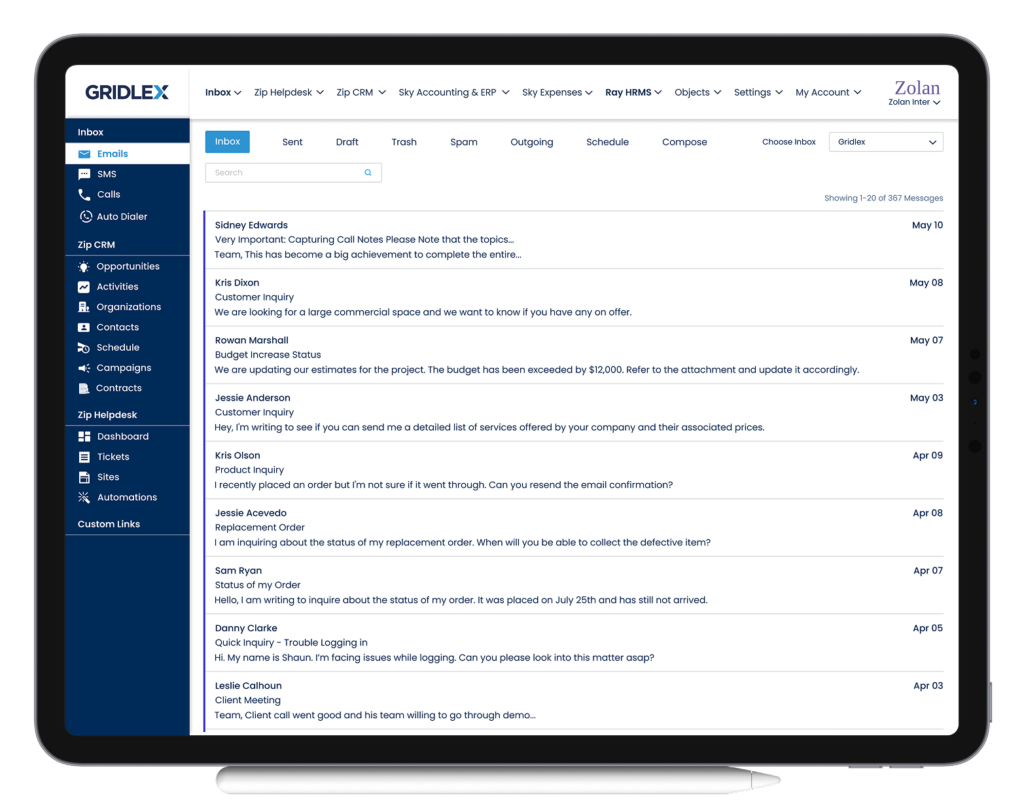
3. Helpdesk & Communication Experience: Unified communication channels:
Emails
Messages
Calls
Key Feature Redesign
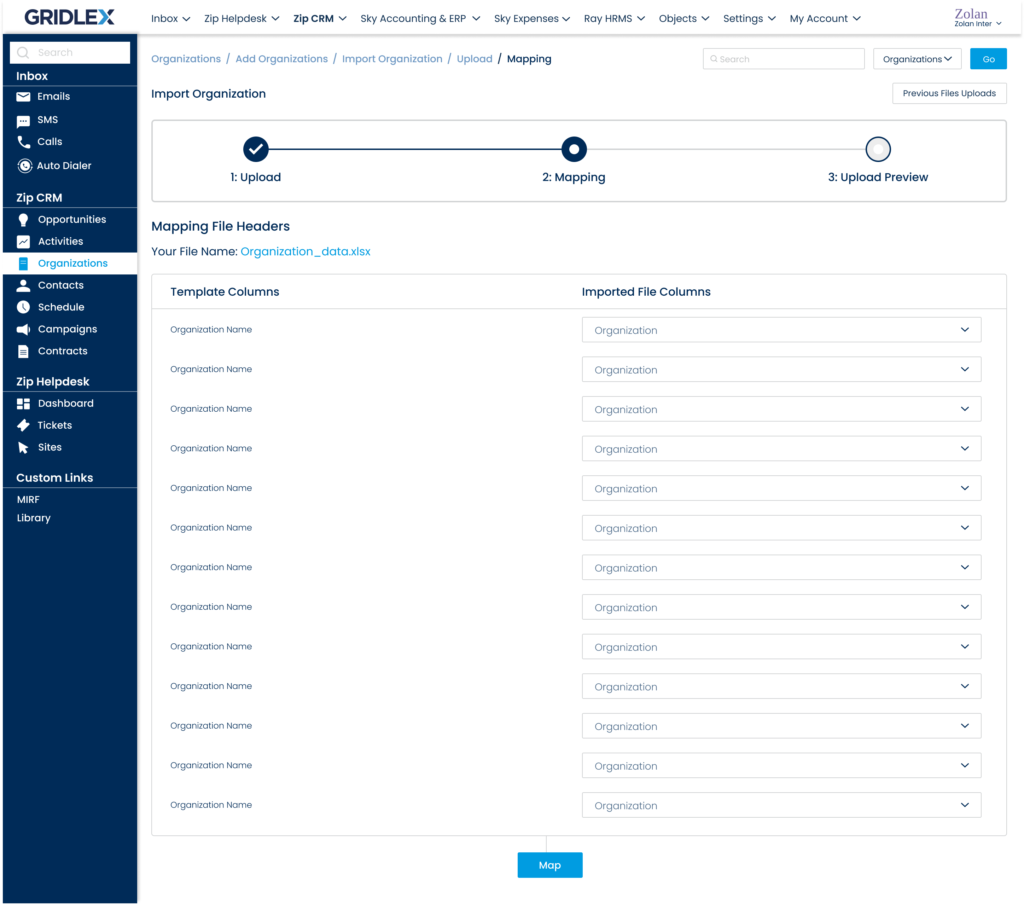
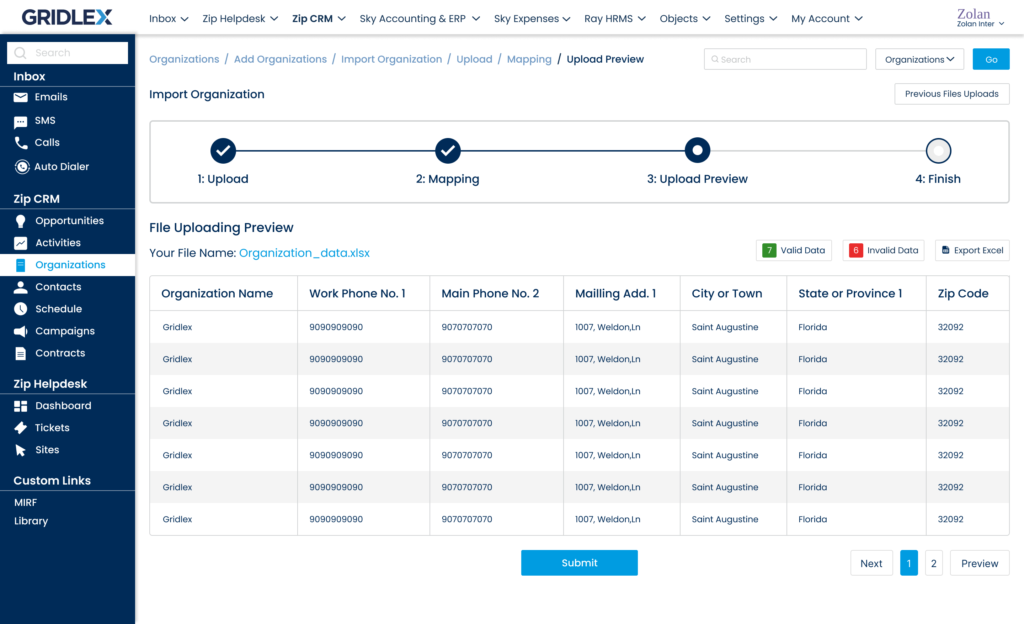
Organisation Import
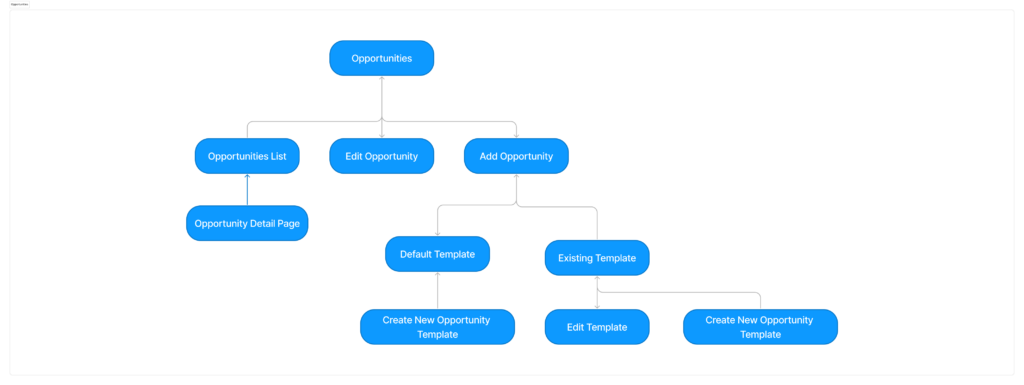
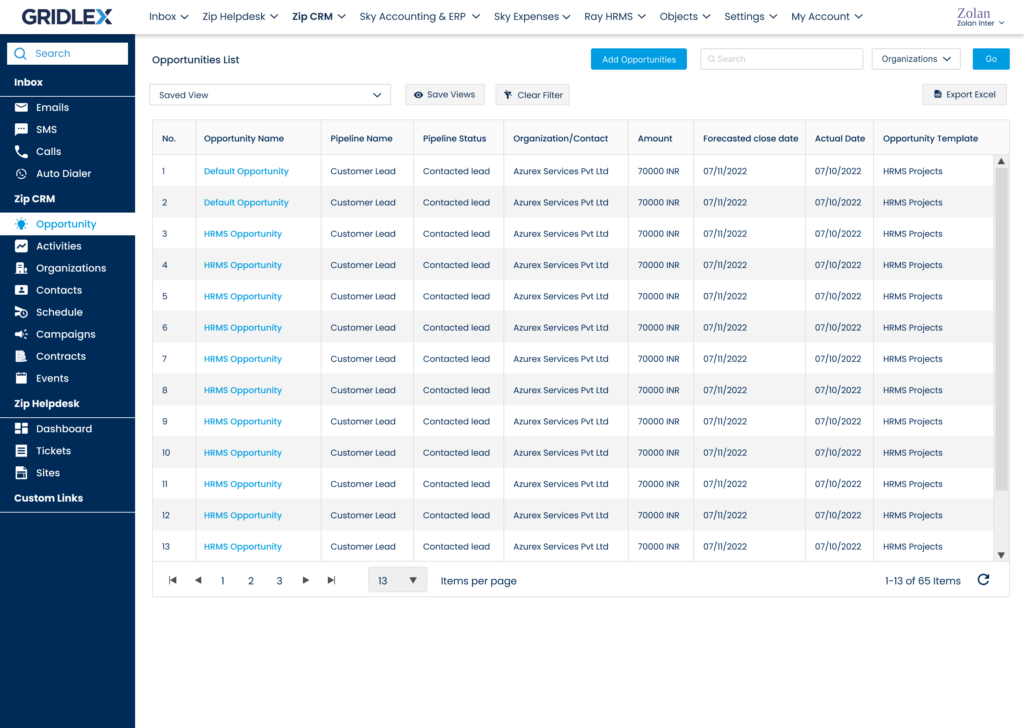
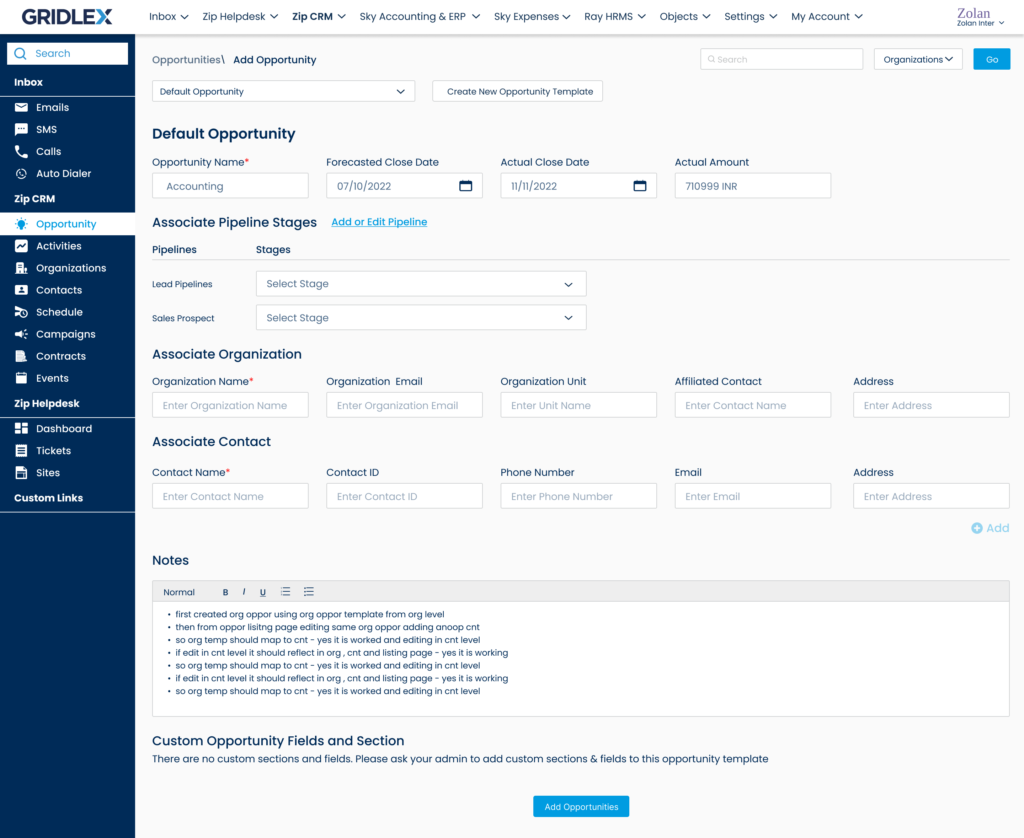
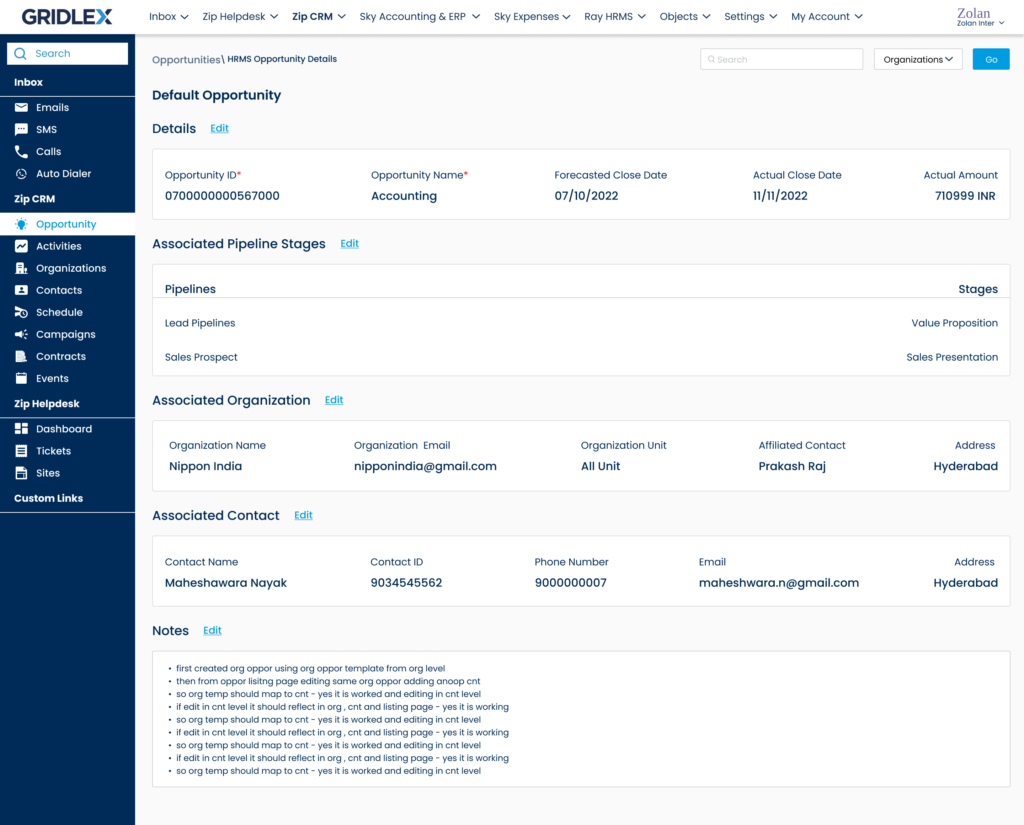
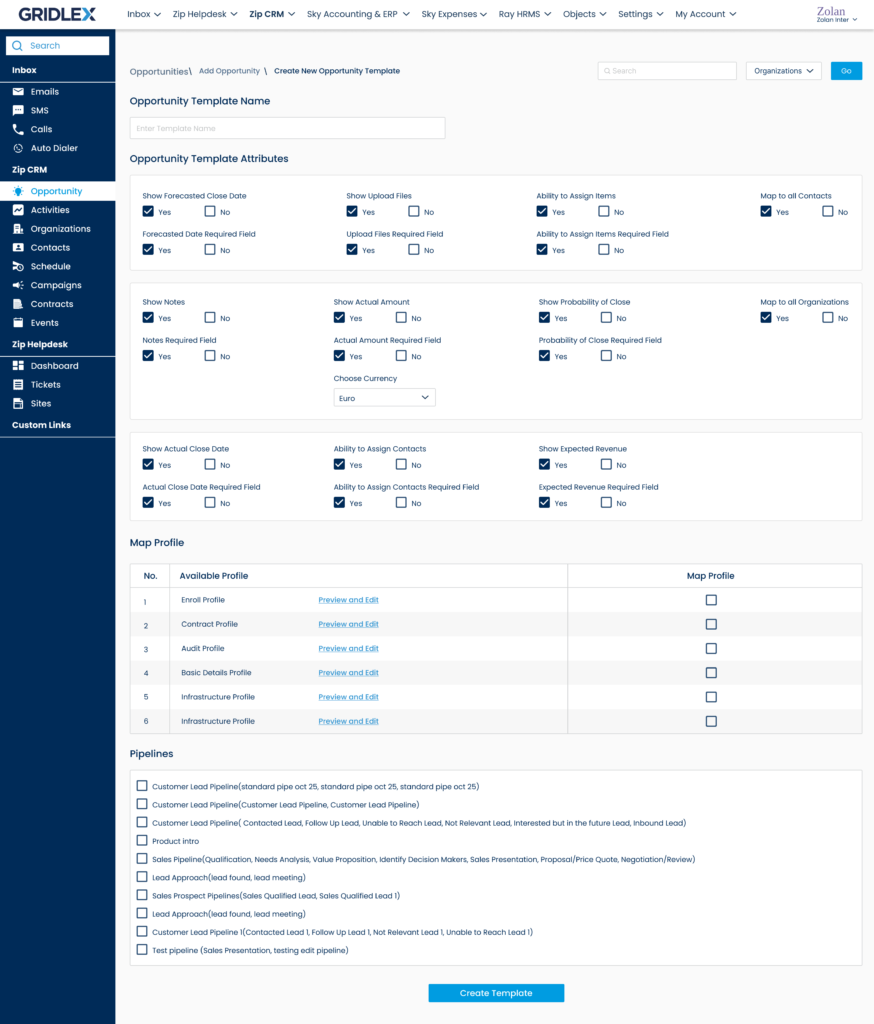
Opportunity Pipeline
Helpdesk Automation
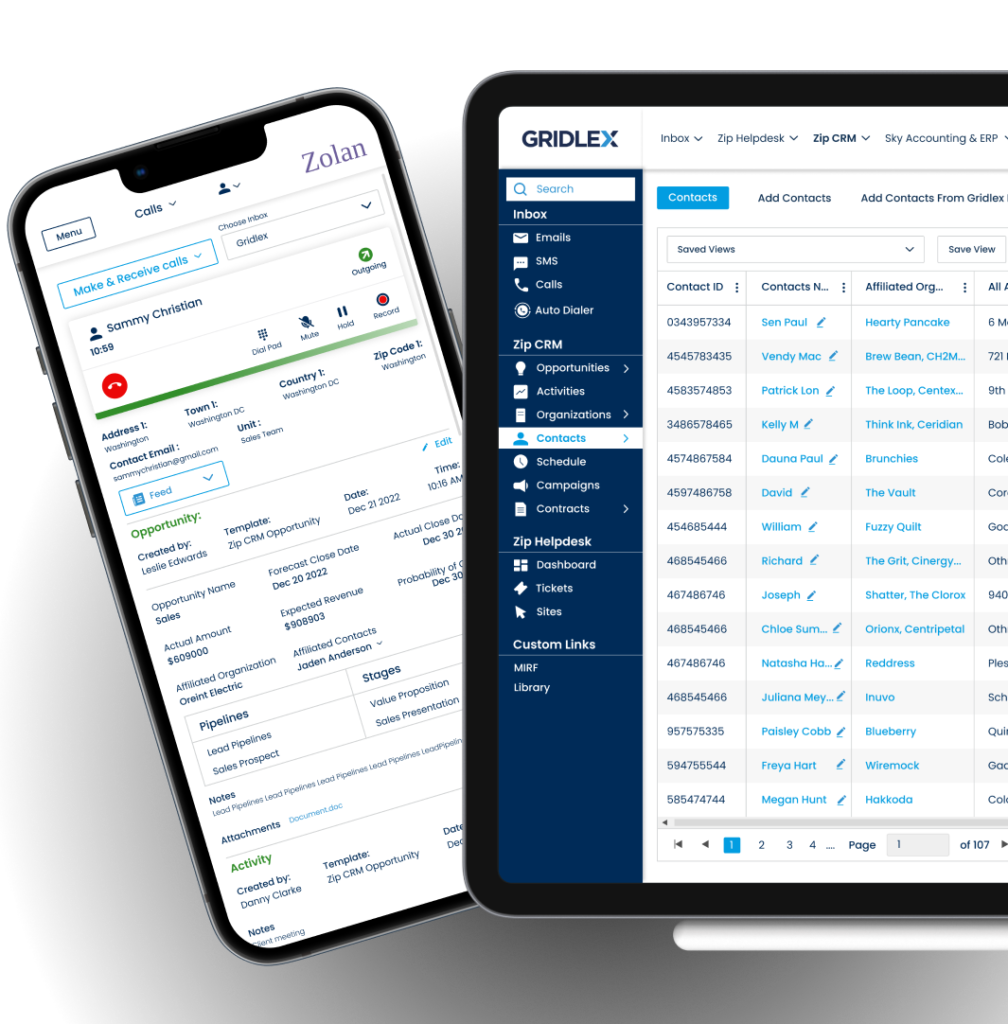
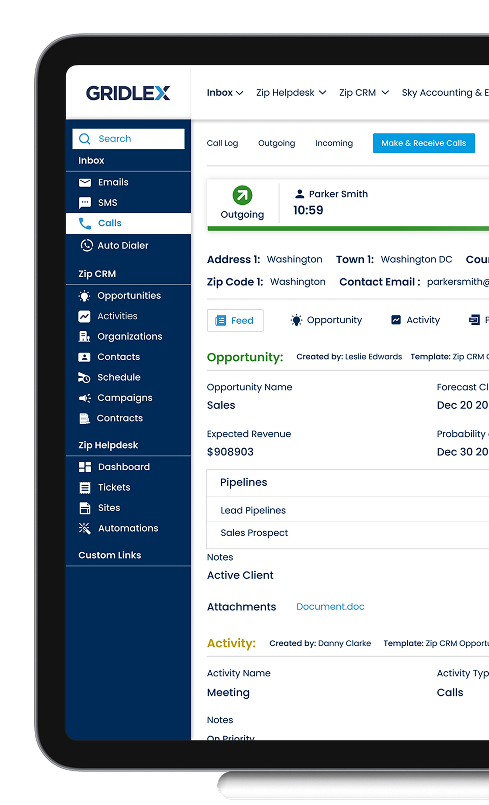
Calling Module
Navigation Architecture
E-Com Integration
Website & Pricing
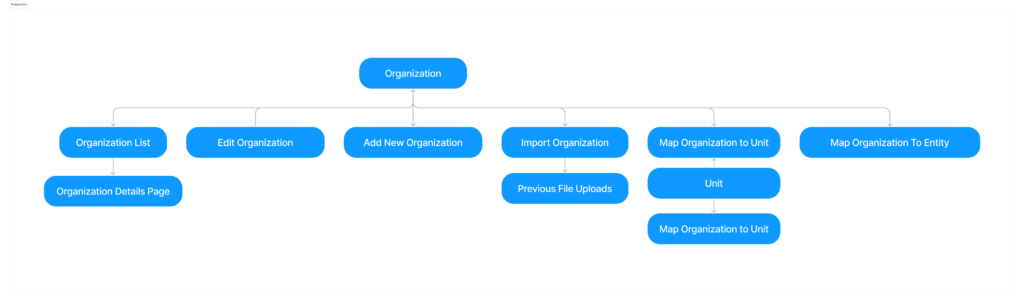
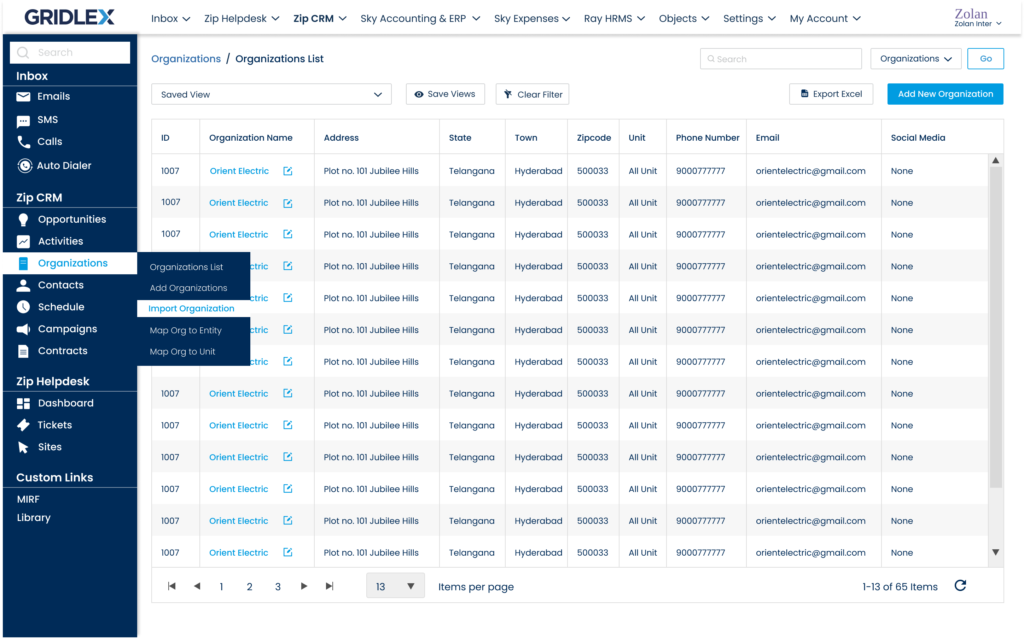
Organization Import
Problem
Users discovered errors only after import completion.
Objective
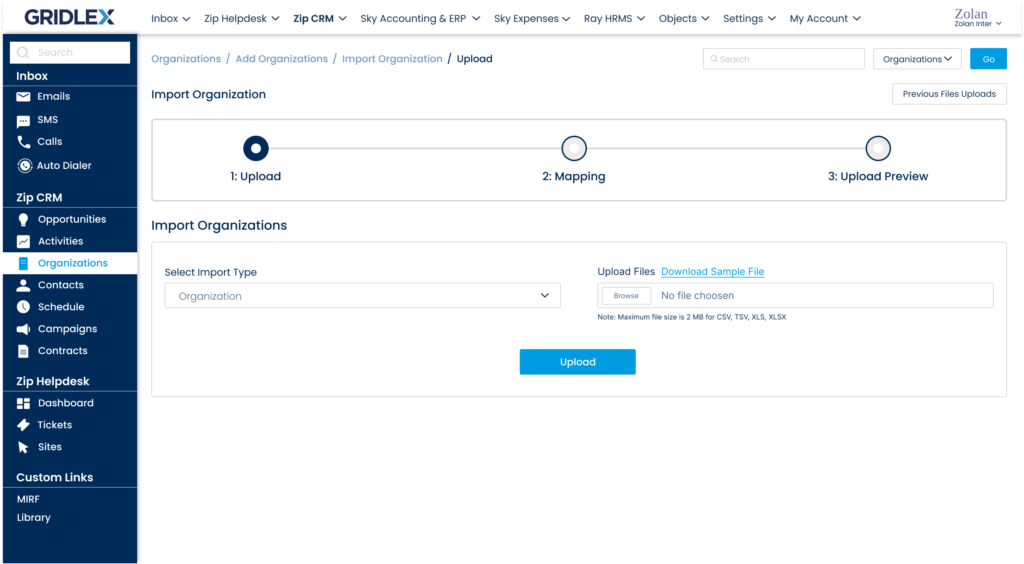
Gridlex App Suite is a powerful tool that helps businesses manage their customer relationships effectively. One of the key functionalities of App Suite is the ability to import data from external sources, which is essential for businesses looking to migrate existing data or perform bulk updates. In this UX case study, we’ll explore the design process behind enhancing the file import feature in Gridlex App Suite to make it more user-friendly and intuitive. To begin, we conducted competitive analysis, user interviews and gathered feedback from existing Gridlex App Suite users like Sarah to understand pain points and areas for improvement.
Solution
Guided step-by-step import wizard
Drag-and-drop column mapping
Inline validation
Upload progress indicators
Opportunity Pipeline
Problem
Difficult to identify important deals quickly.
Solution
Inline stage updates
Activity timeline
Kanban pipeline view
Helpdesk Automation
Problem
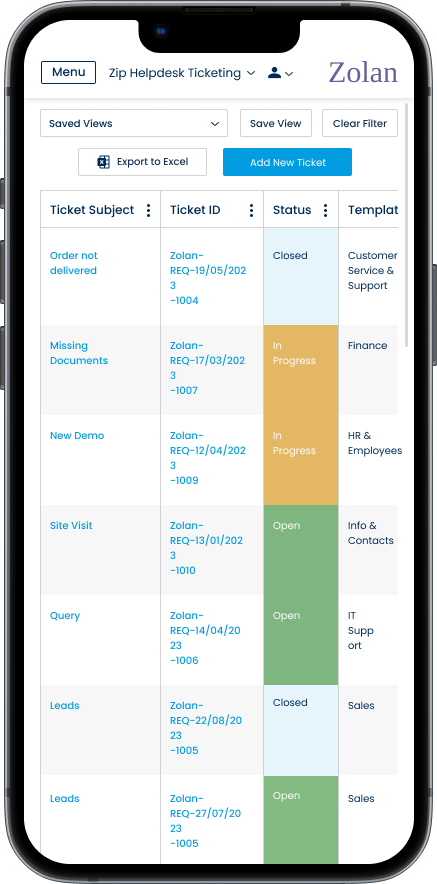
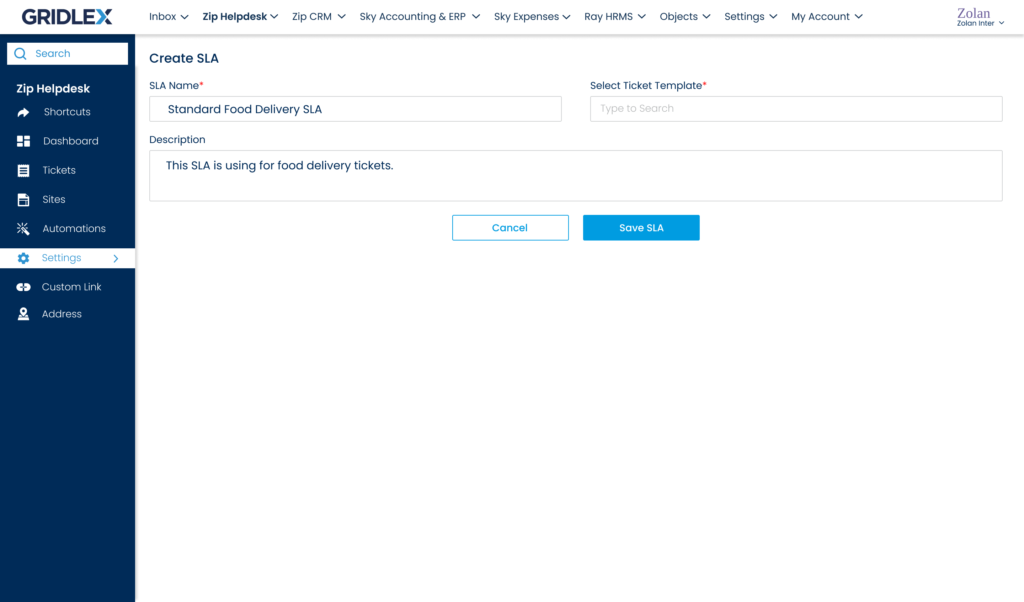
Ticket workflows required manual intervention.
Objective
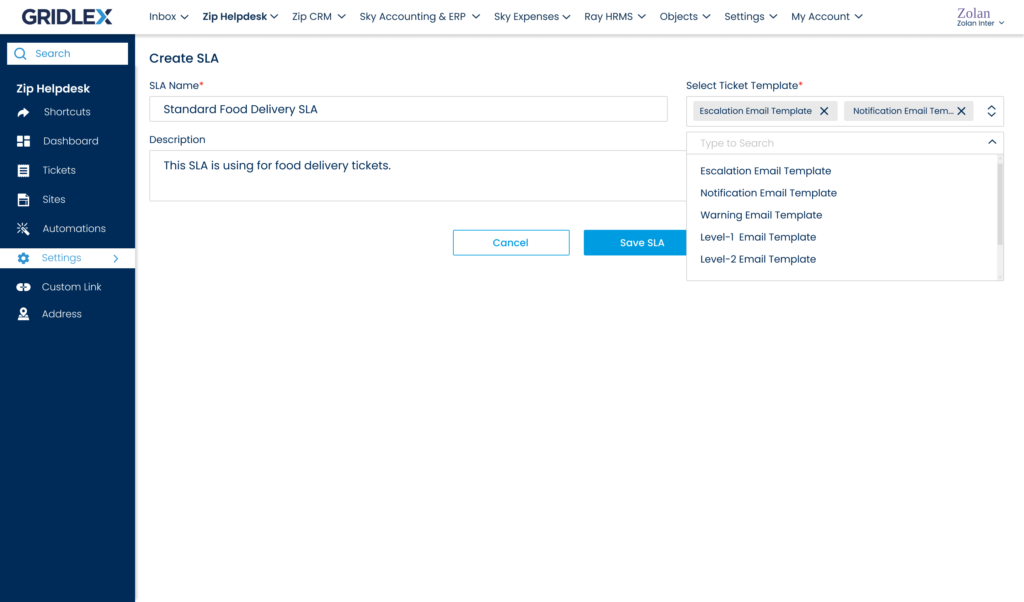
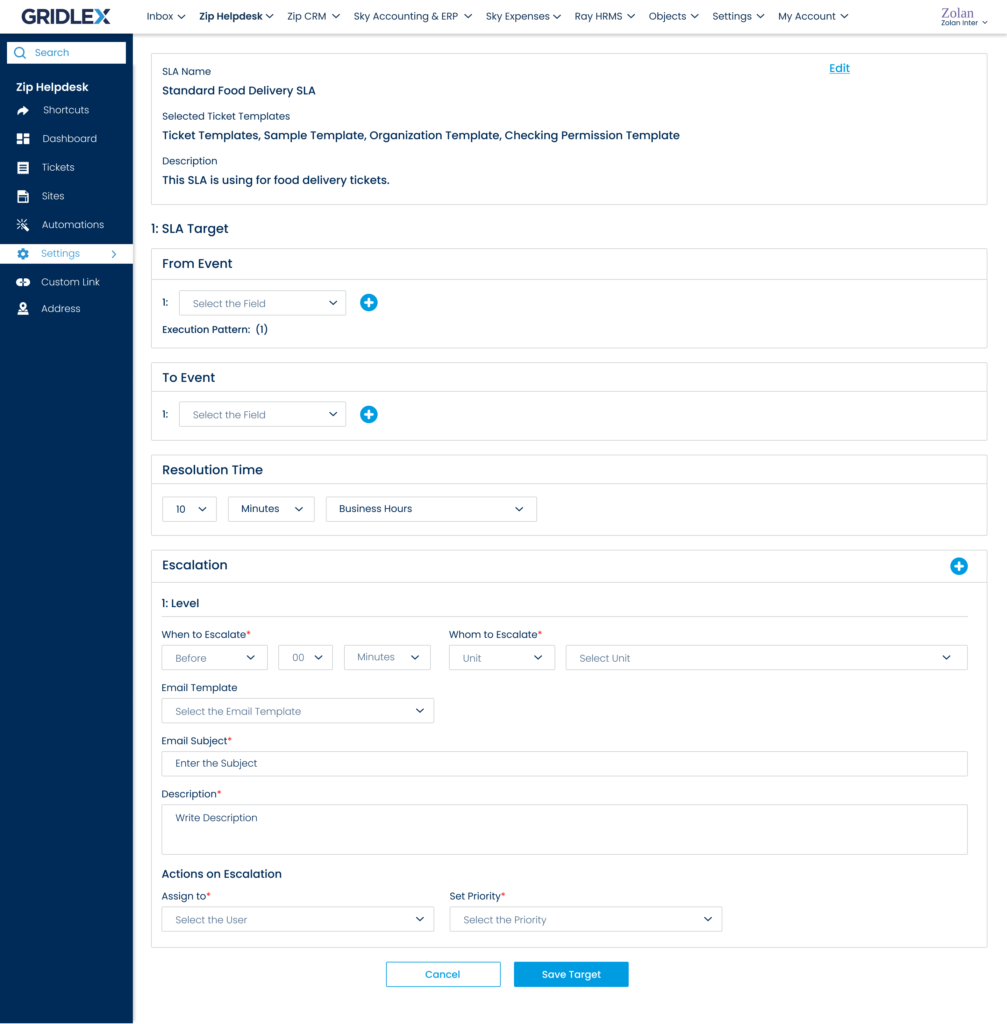
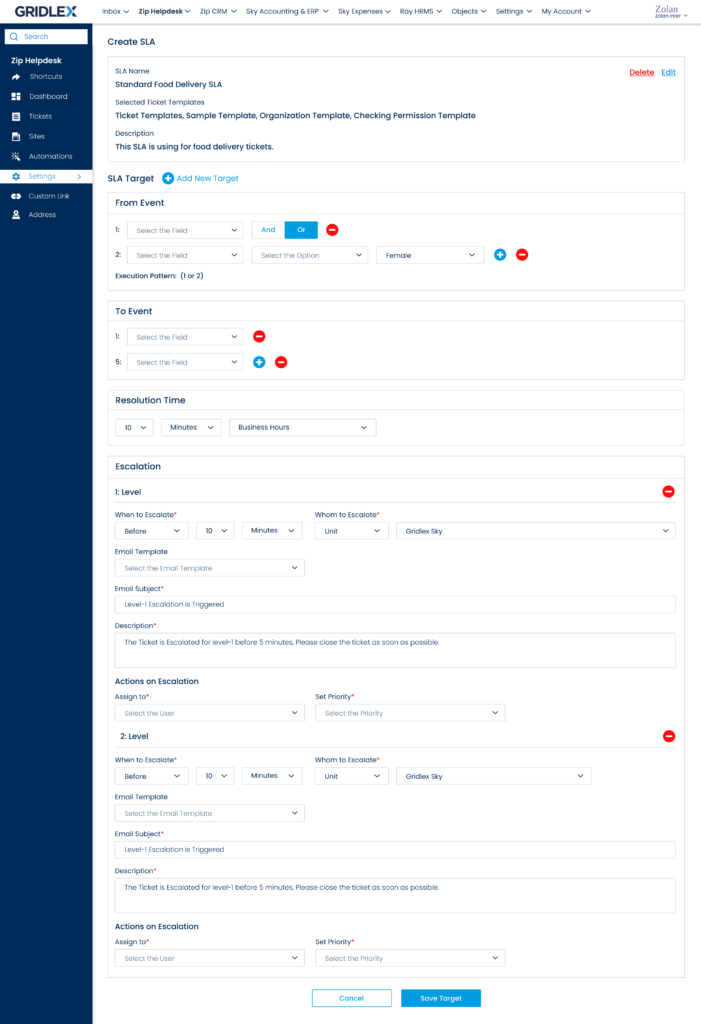
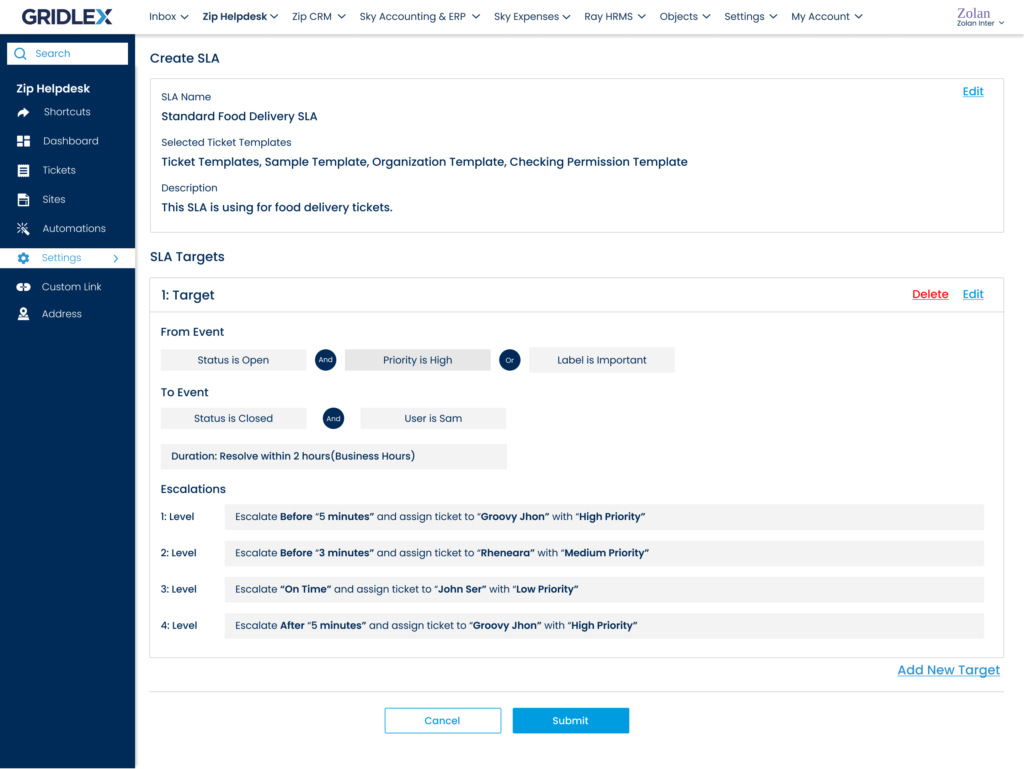
The primary objective of implementing the SLA feature was to empower users to define, monitor, and enforce service level agreements with their customers. This would enable them to improve customer satisfaction, streamline support processes, and ensure accountability within their teams.
Solution
Designed SLA automation rules.
Helpdesk Calling
Problem
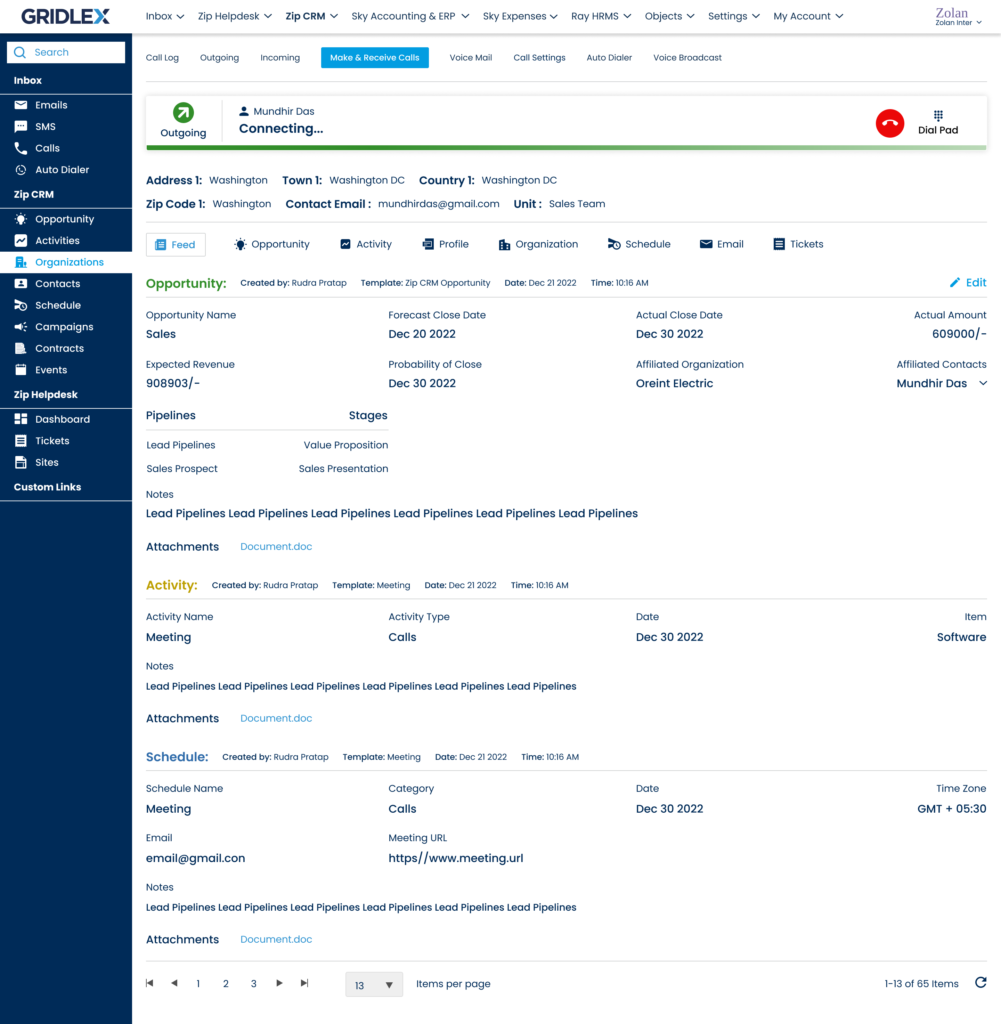
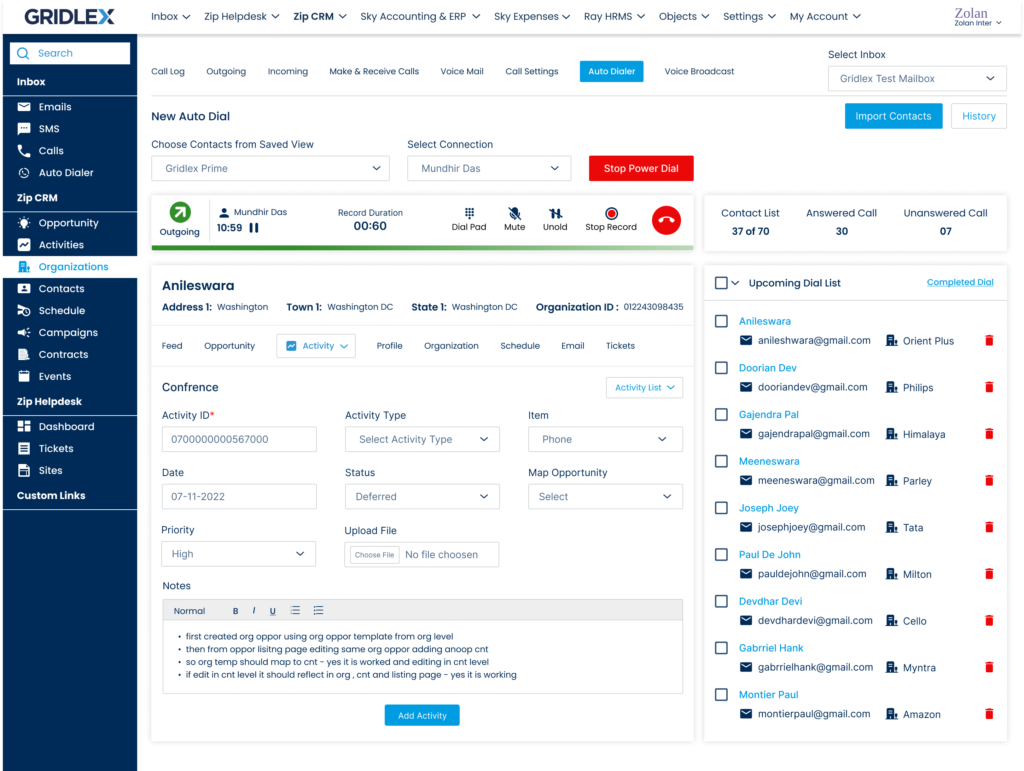
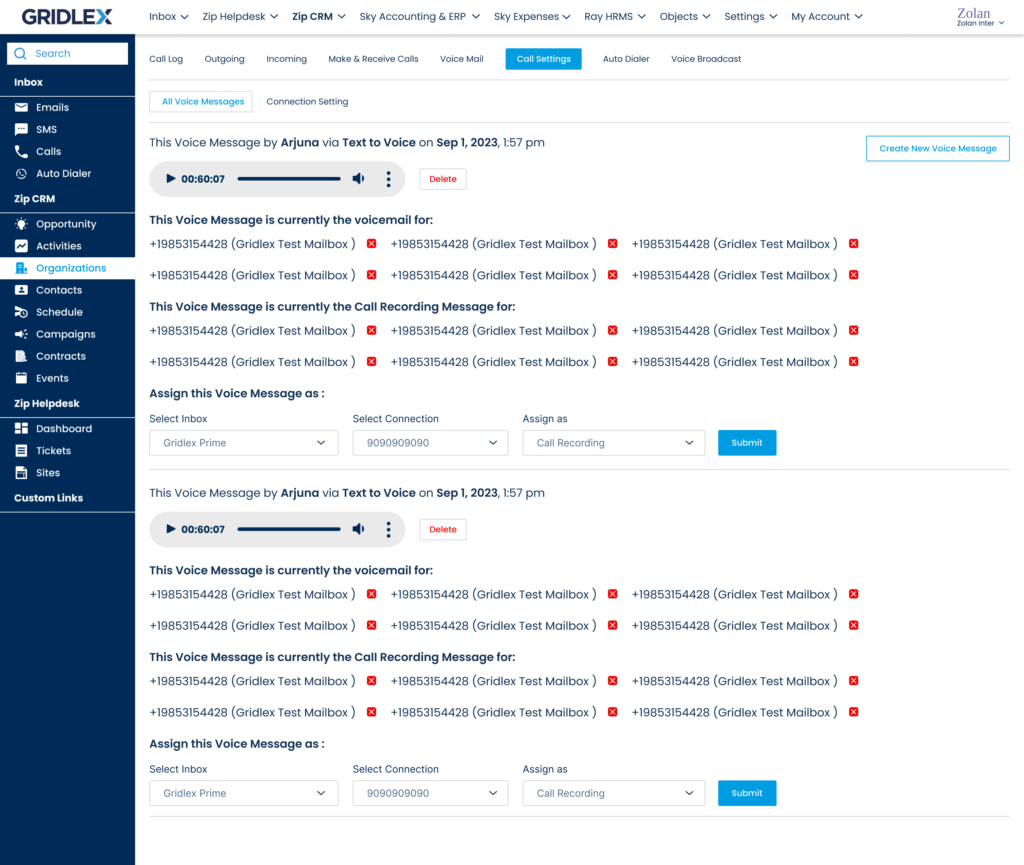
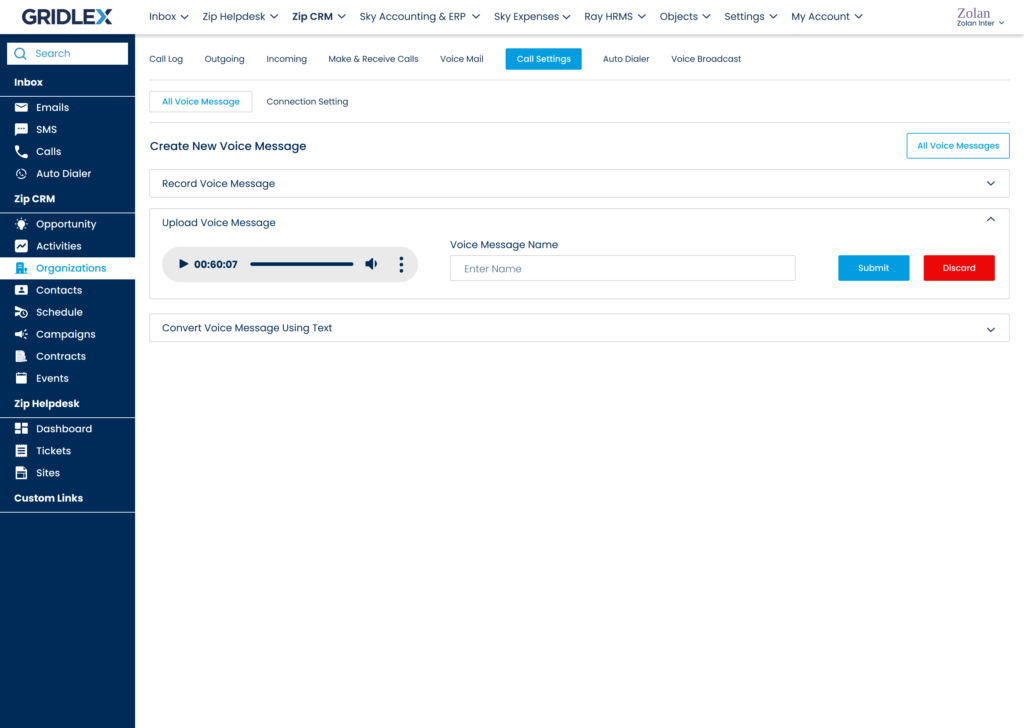
User were frustrated because of not having platform of Autodialer or any Calling system to connect with their clients and also were not able to do voicemail marketing.
Solution
• Designed:
Auto Dialer
Call settings
Call logs
Voicemail management
• Focus:
Simplified call workflows
Clearer call history
Improved configuration
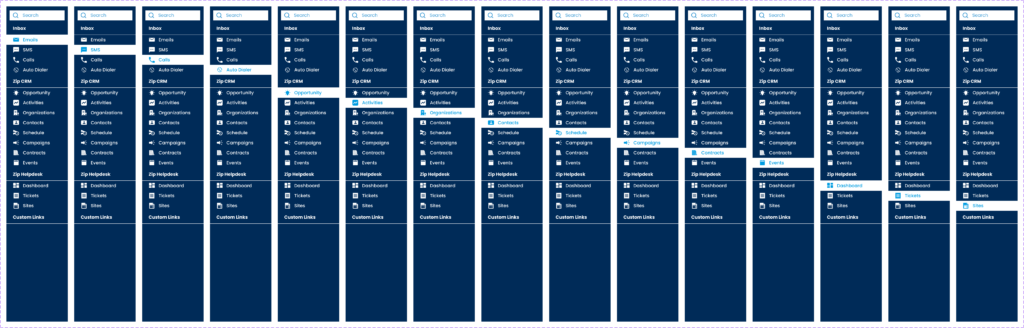
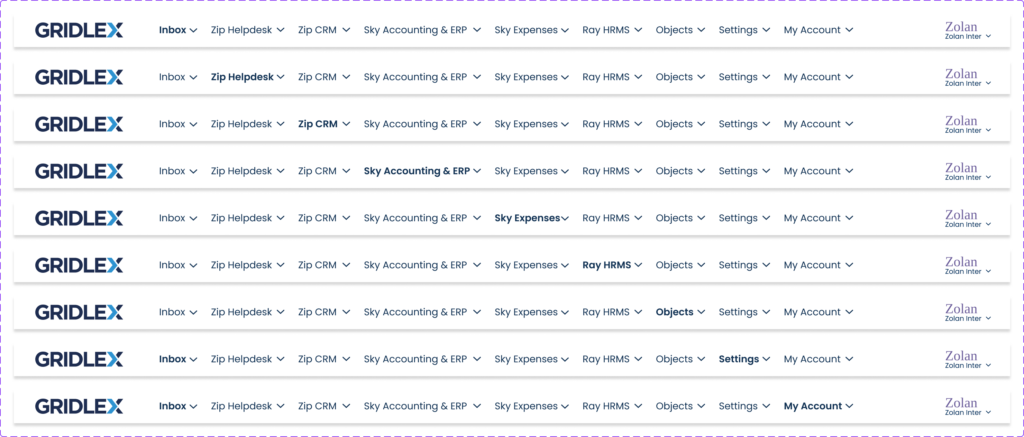
Navigation Architecture
Problem
Users struggled to find features…
Solution
Grouped features by workflow:
CRM
Communication
Support
Automation
Report
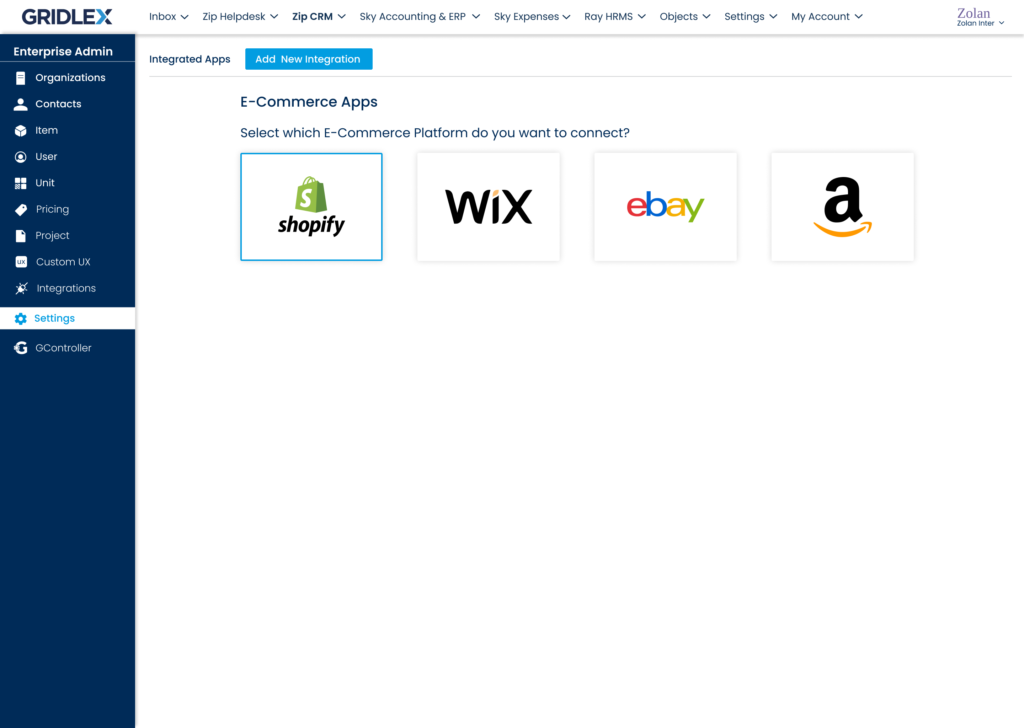
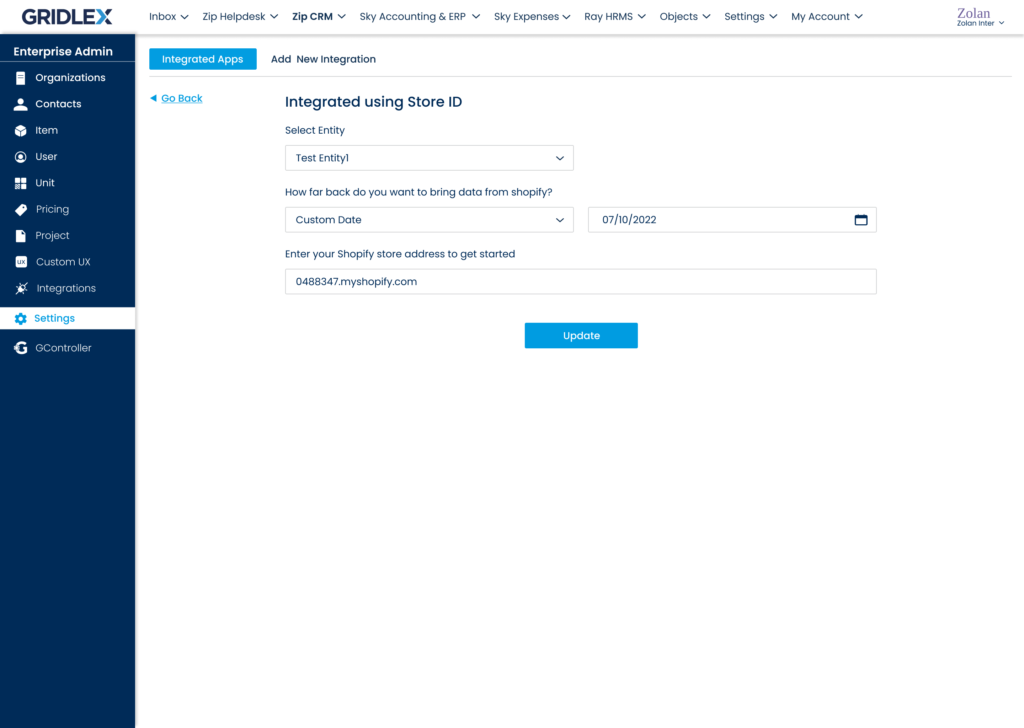
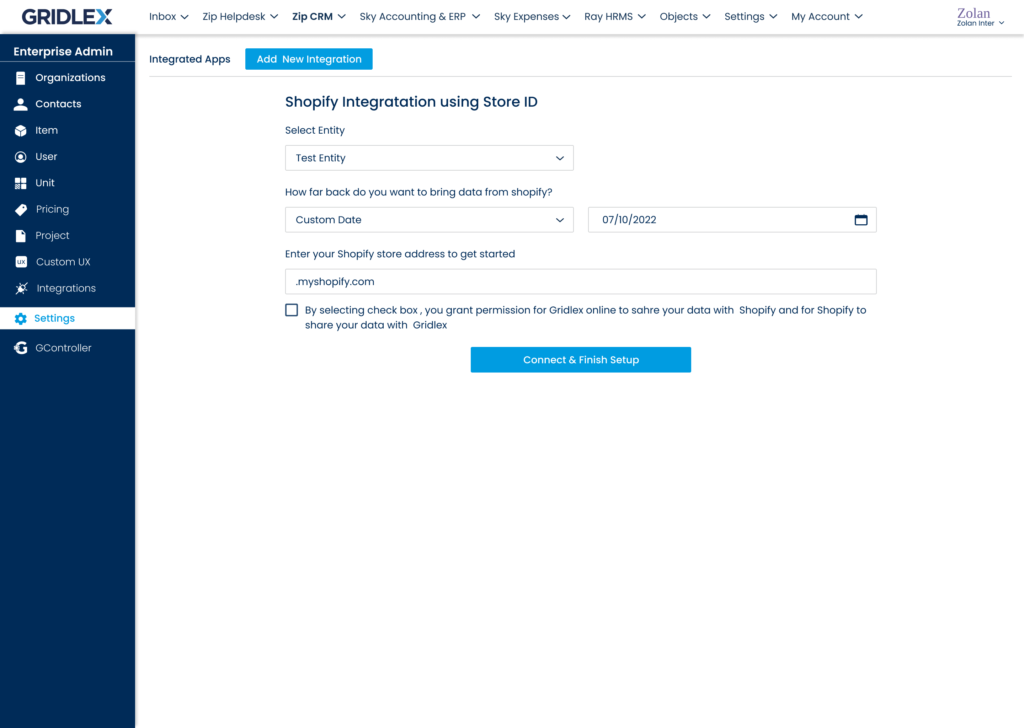
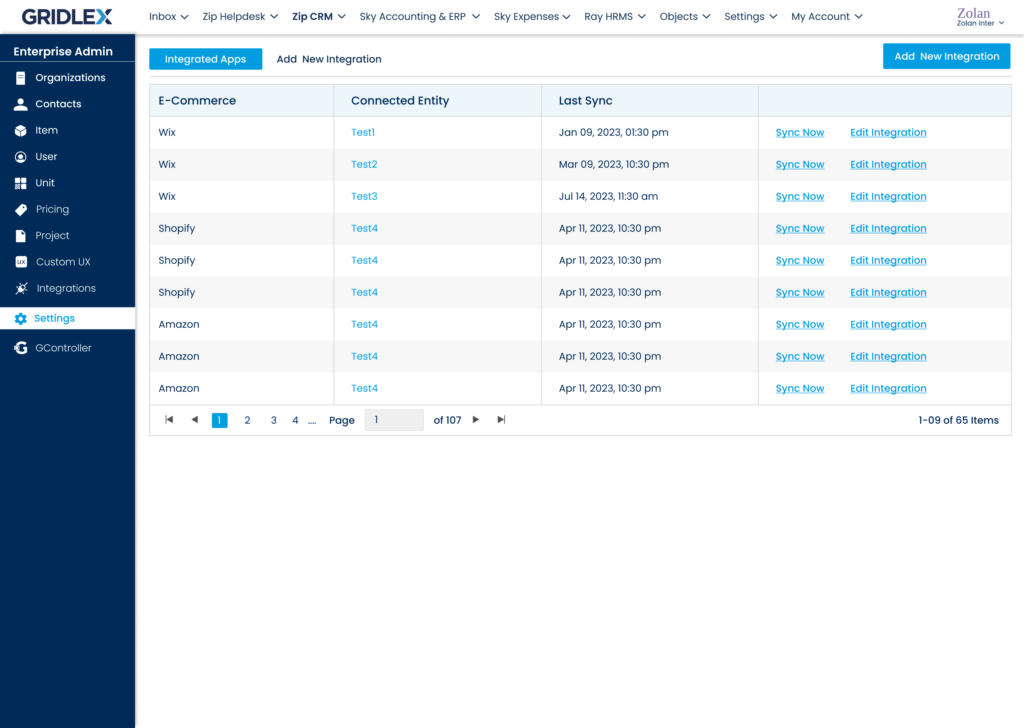
E-Com Integration
Problem
All Users were not allowed to get connected to 3rd party application for their requirements of article and updates.
Solution
Designed integration flow between CRM and eCommerce platforms for.
Wix
Shopify
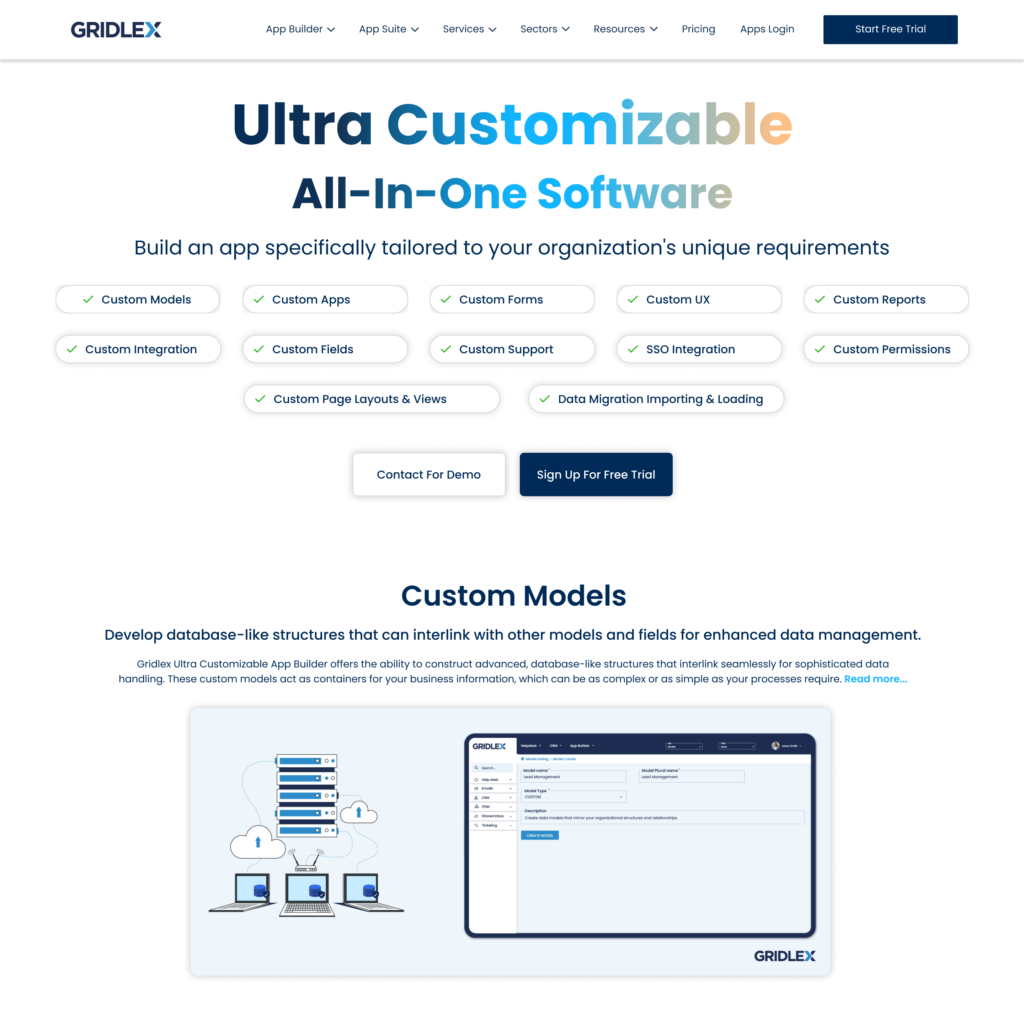
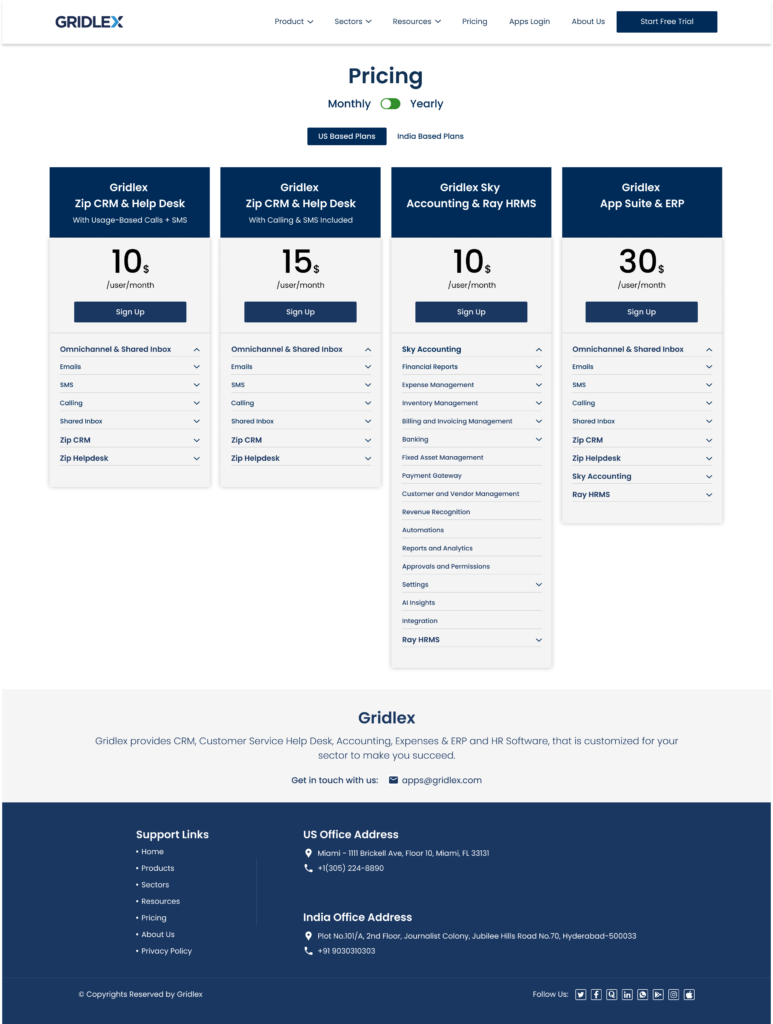
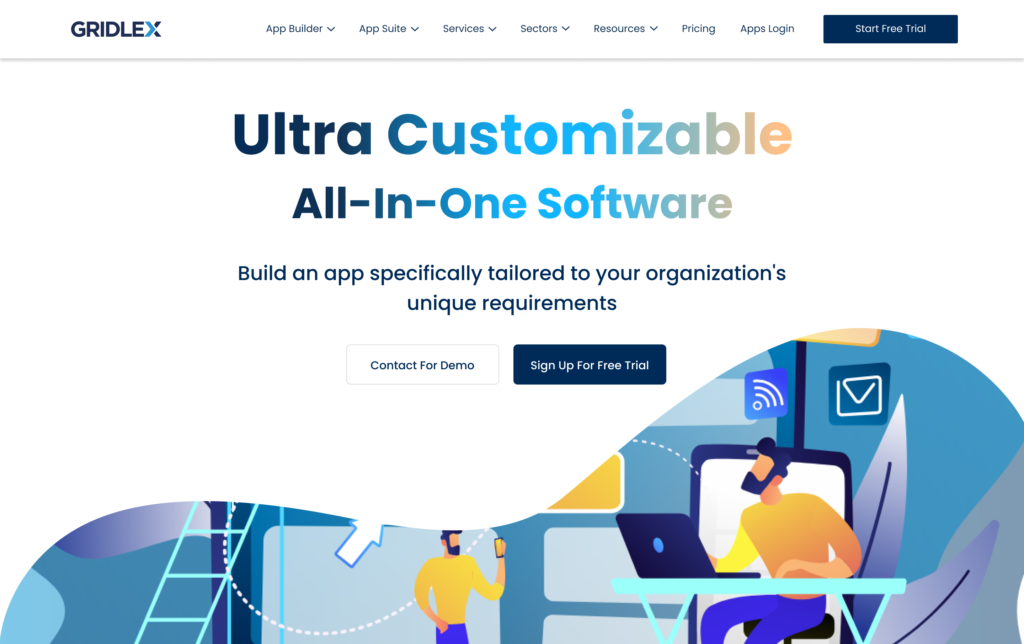
Pricing & Product Website
Problem
Website and pricing plans were got out dated and old due to product development.
Solution
Improved product marketing experience:
Clearer feature explanation
Structured pricing comparison
Improved conversion flow
Usability Testing Validation
Test Including
Moderated usability testing
Task-based testing
Stakeholder walkthroughs
Test Task Included
Import CRM data
Create support ticket
Update opportunity stage
Create form template
Impact
Simplifying Workflows For A Complex B2B SaaS Platform.