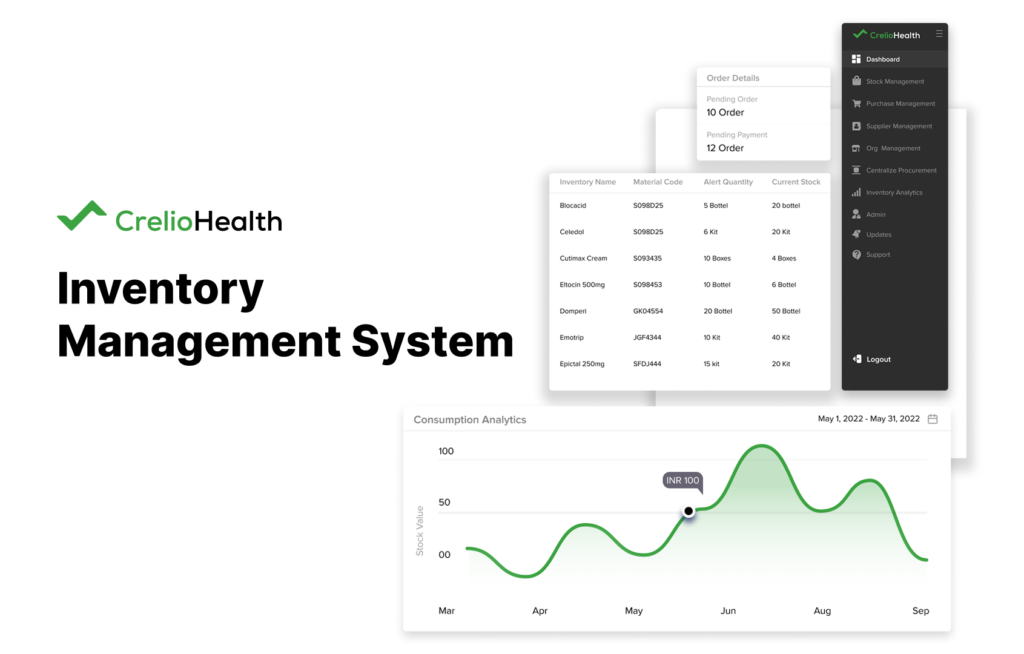
Crelio Inventory is a software application which helps lab users to manage inventory to increase in productivity and minimising cost function of bussiness in healthcare industry.
Project Brief
The project was to redesign and create a user experience, which reflects the users’ needs better; an interface, which not only easy to use, but provides a satisfactory and meaningful usage.
Discover
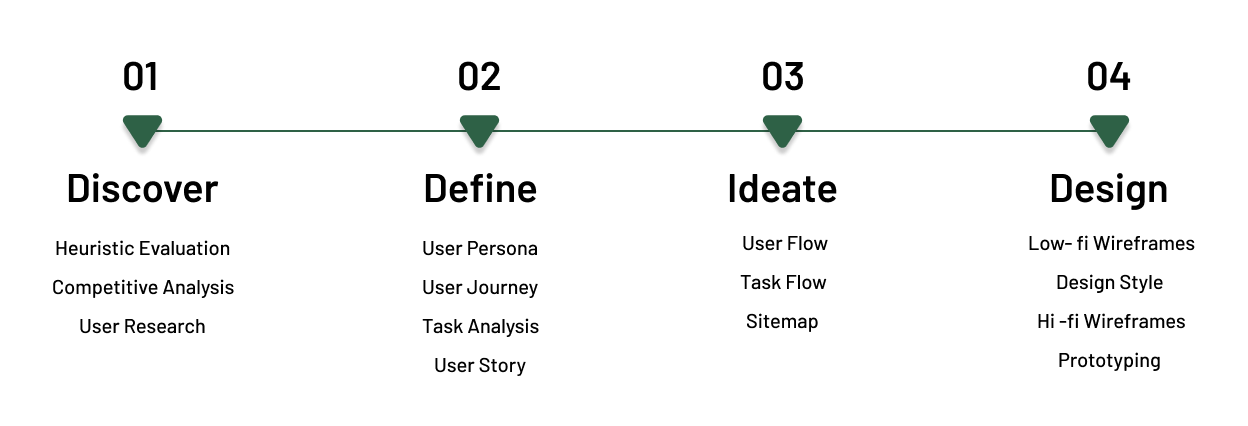
To discover real challenges, first we got to know the inventory app, our client and the users (& their needs). During this part of the process, we applied the following research methods.
Product Goal
Increase in productivity and minimizing cost function of business in healthcare industry.
Intuitive purchase management
Tracking performance and reducing leakage in revenue from inventory management
Tracking performance and reducing leakage
Complete visibility of inventory management across the organization.
To ease the management tasks comes under inventory.
Giving usability freedom to customer providing app solutions.
Heuristic Evaluation
Using “Nielsen Norman heuristics” usability guidelines, we went through the inventory app, to summarize the findings.
Insights
The home page contains no search input box.
Navigation choices are ordered not in the most logical or task-oriented manner.
By just looking at the home page, the first time user will not understand where to start and how to start.
The critical path is not clear, with no distractions on route.
Users can complete common tasks quickly.
Items can be compared easily when this is necessary for the task.
App contains typographic errors
No FAQ or any instruction guide available.
There are many visual design issues (like spacing problems).
Not only the visual design and some content are outdated.
Functions offered by the site do not follow trends.
Accessibility is an Issues.
Competitive Analysis
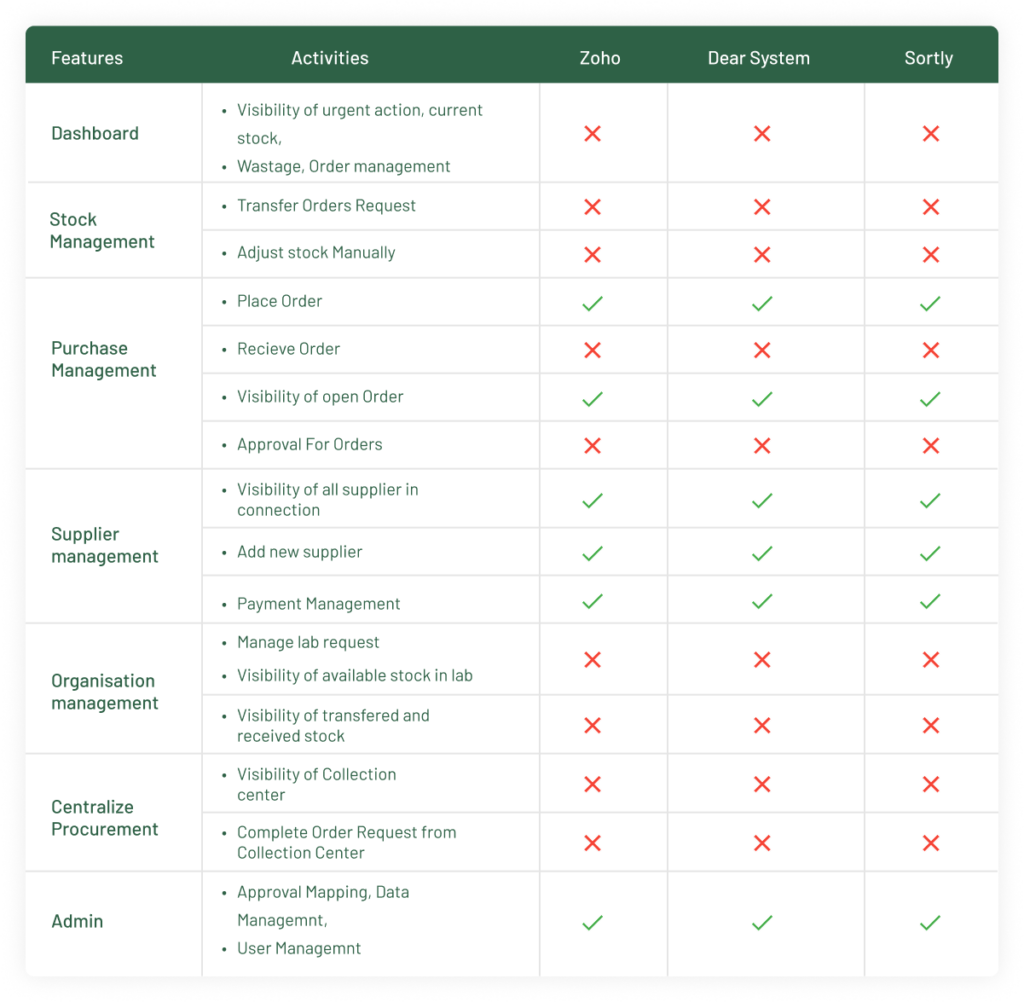
To identify the more industry used ux and interface solutions, I select The three inventory software app solutions available in the market are Zoho, Dear System, Sortly.
Insights
Inventory Application like, Zoho, Dear System, Sortly are providing solution to manage inventory but not applicable for health industry.
Don’t have features and solution Crelio is providing.
Graphical Interface is more updated and trendy
User Research
To empathize with the users and understand their needs and wants. For this project, I focused on lab user groups:
I interviewed 5 users; 3 interviews were done on phone calls and 2 interviews were done in-person. Prepared a set of questions that I came up with after going around the problem and doing a short brain-writing session. The questions were :
What kind of environment user working in ?
What are user daily work life challenges?
What are the user’s major tasks?
What are the tools they currently have?
How user feels while performing lab tasks using Crelio Inventory web application?
What are the problems they faced while using a web application?
What are the expectations?
Insights
Two lab users are working in independent pathology and the rest three are working in different hospitals. Two of them have less work pressure and less hectic; and other side others three have bounded by urgency, hectic and critical situations around them.
The three of them have to deal with many serious medical cases and so they have ample no of external and internal inventory transactions, and that’s why it becomes their job to track lab inventory products and transactions of payment and stock alerts.
All of them have same task like to track of current stock, expired stock, out of stock, track of placed order, and payment records, to balance supply chain of inventory, placement of inventory order, receiving order from supplier, supplier management, stock cataloging, stock management after consumption…
Lab users are facing difficulties regarding order placement, and receiving orders fast because paths are not cleared. Dashboard interface, they found it cluttered and more stressful working with area. its time taking to understand app working system.
Their expectations are task should be easy and clear, working path and minimal time consumption to perform lab task and easy instruction to complete task.
Define
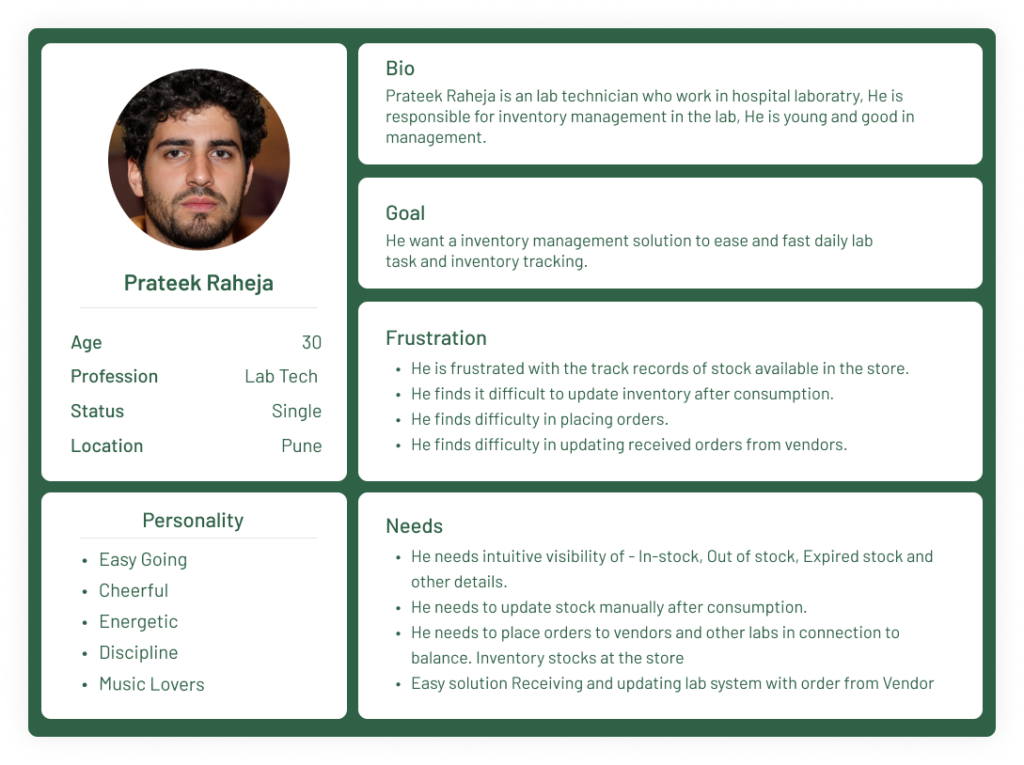
To define real challenges, first, we define user personas based on interview, user journey maps, task analysis, and user story mapping.
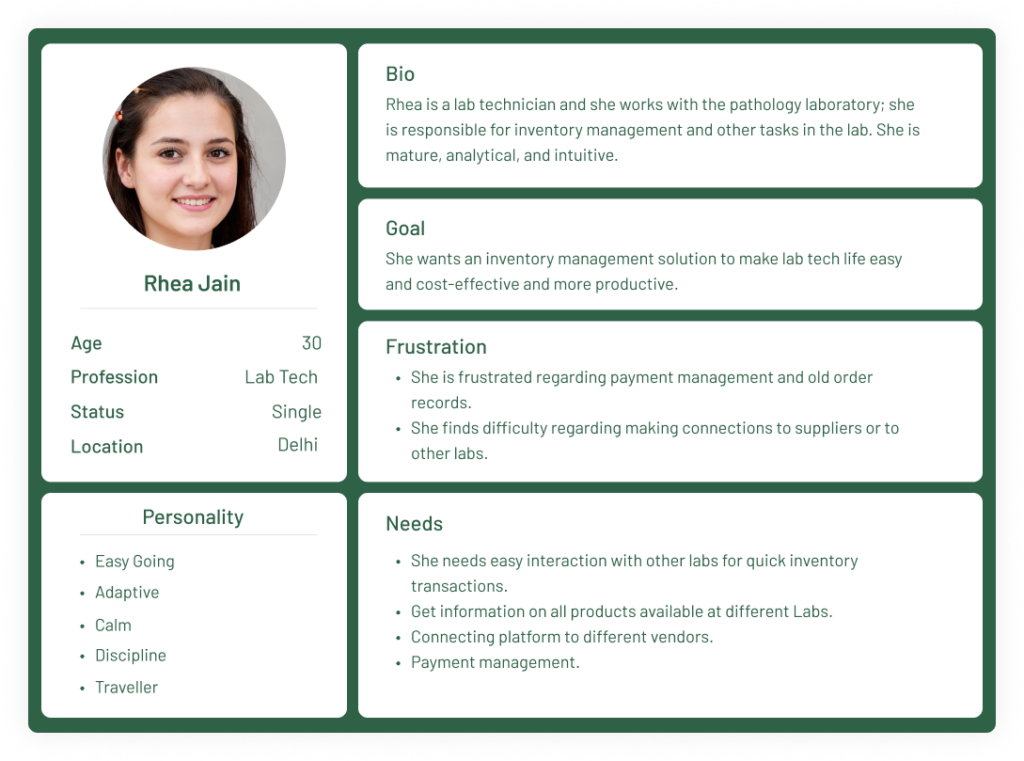
User Persona
I used these two personas to create a user journey map for the phase that intersects with my product scope. I divided the user’s journey into stages and mapped the touchpoints. I tried finding opportunities through the user’s feelings, thoughts and activities for each stage.
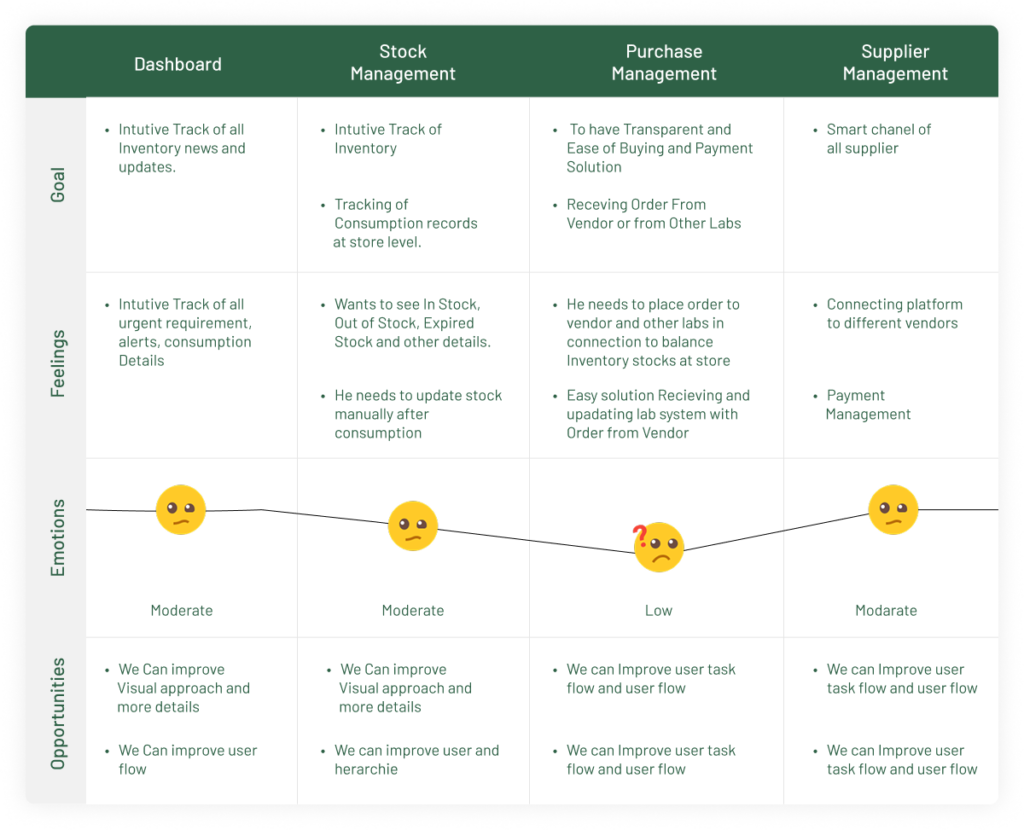
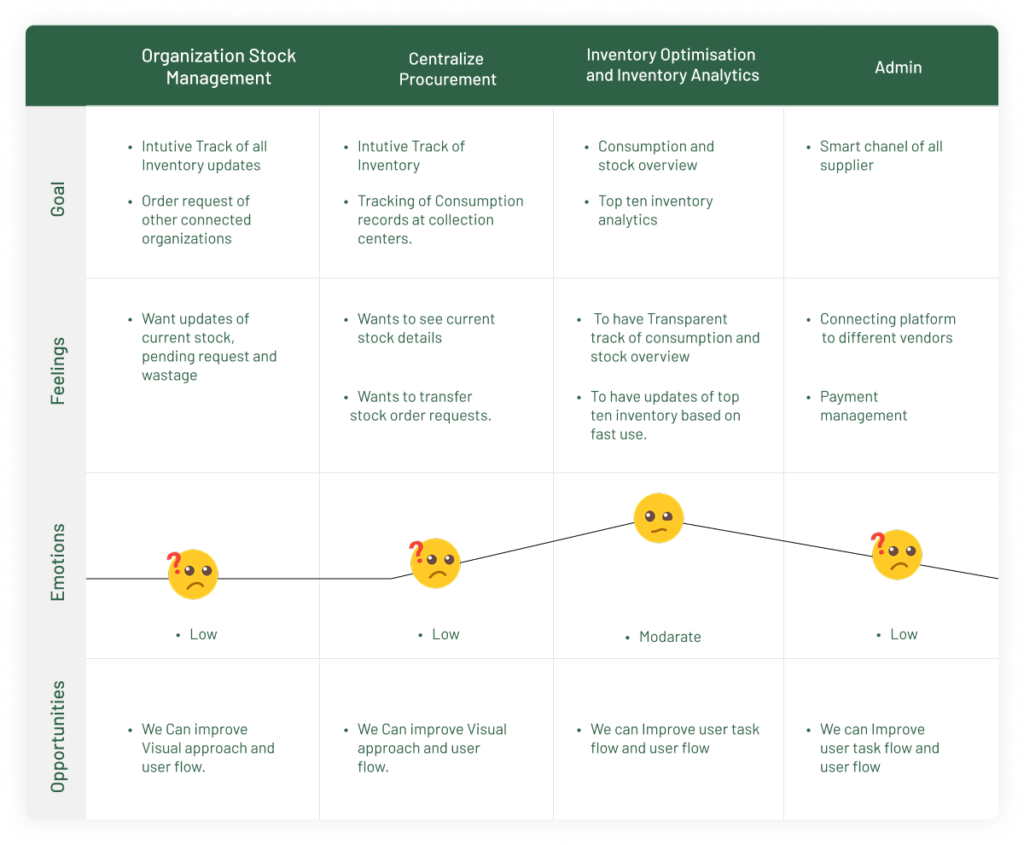
User Journey Map
I used these two personas to create a user journey map for the phase that intersects with my product scope. I divided the user’s journey into stages and mapped the touchpoints. I tried finding opportunities through the user’s feelings, thoughts and activities for each stage.
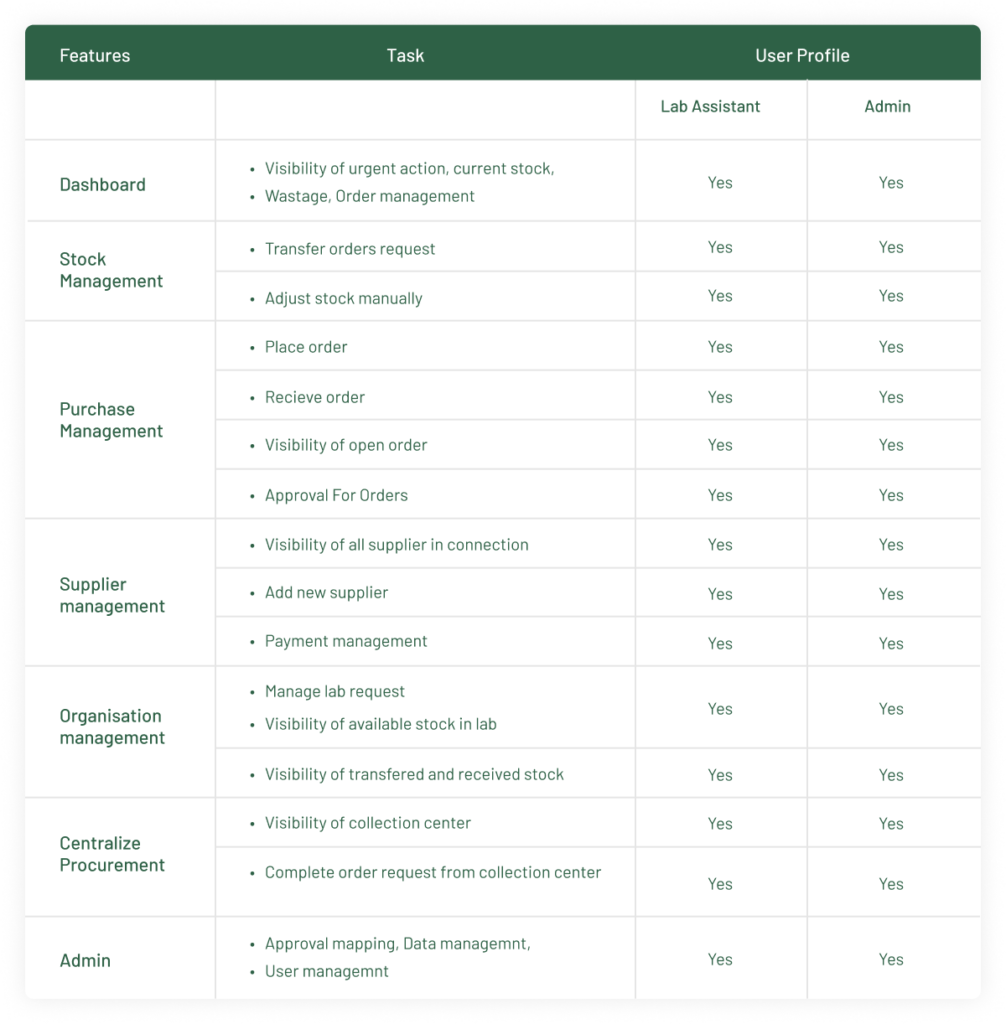
Task Analysis & Features
We will segregate the tasks based on roles like (Admin, Genreal User) so that we will have clarity on which are the tasks should be performed by which role.
Ideate
To define real challenges, first, we define user personas based on interview, user journey maps, task analysis, and user story mapping.
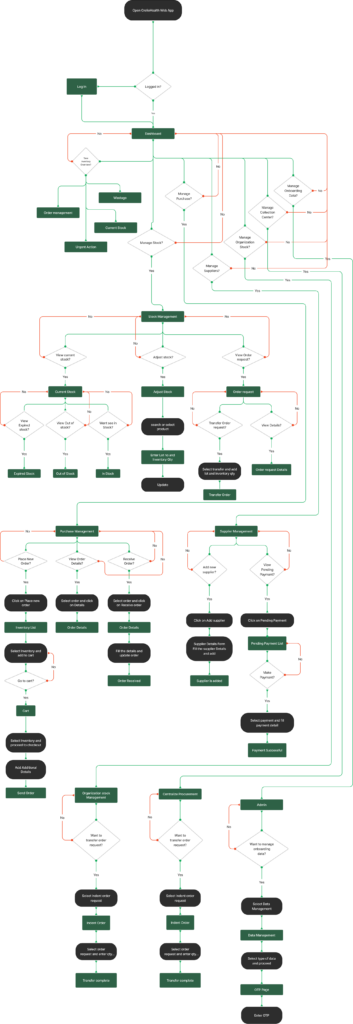
User Flow
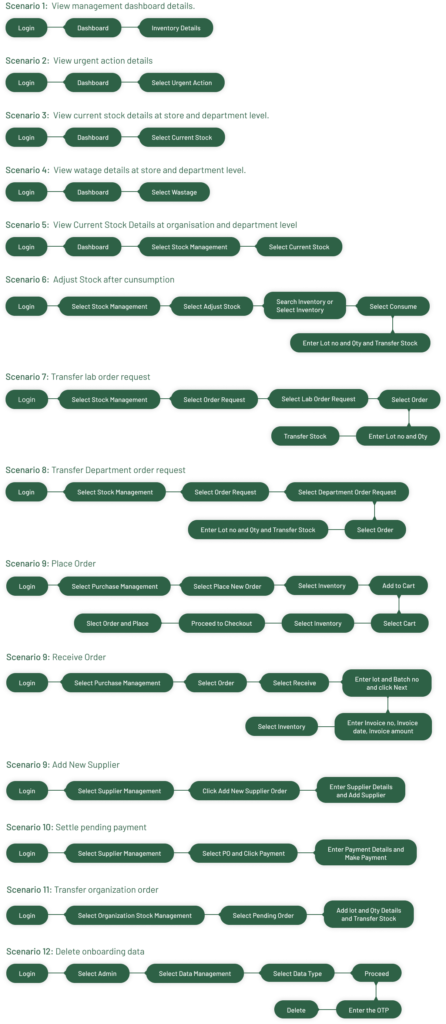
Task Flow
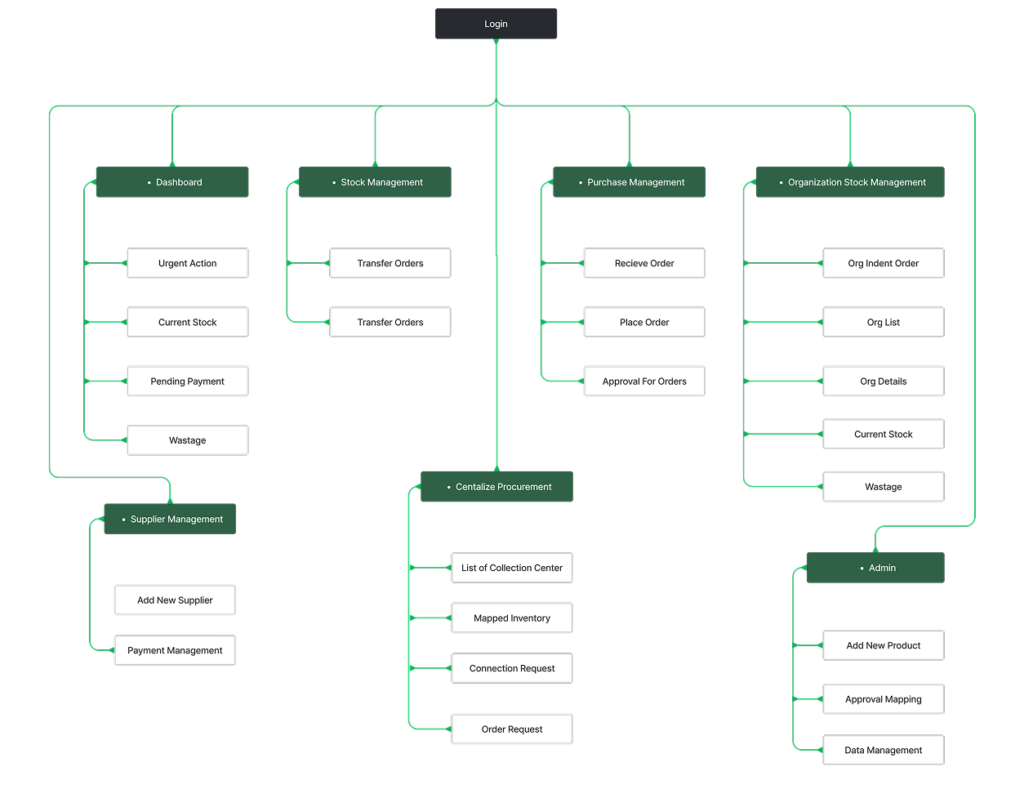
Site Map
Design
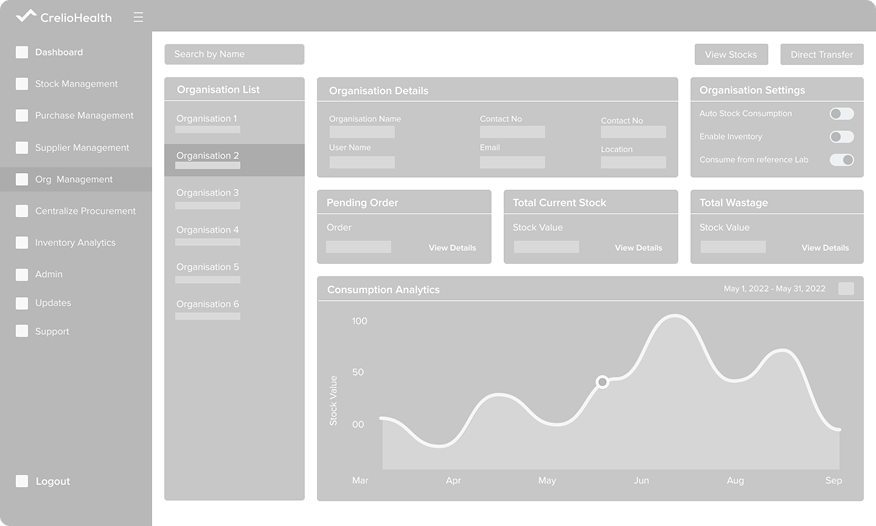
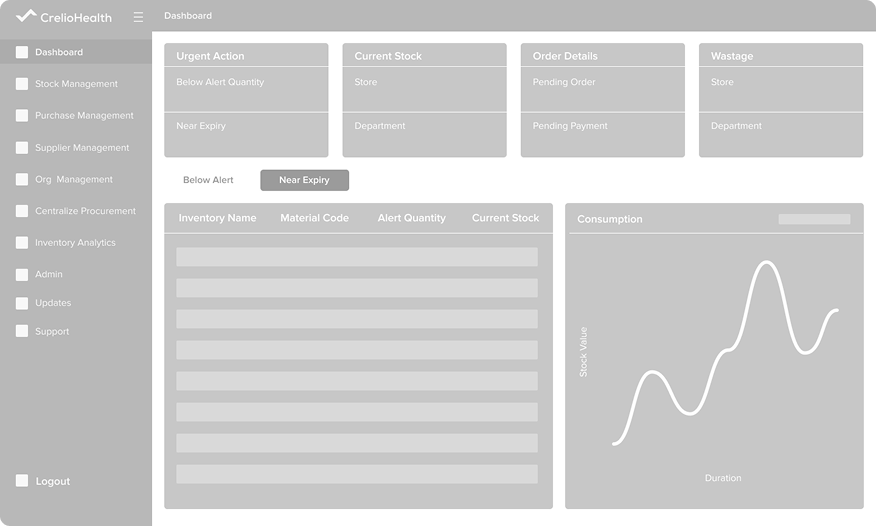
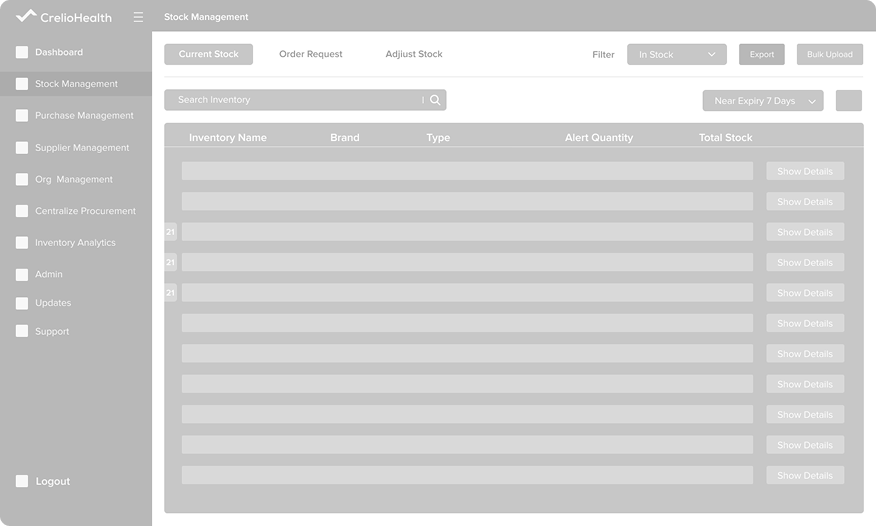
Now we create low and high fiedility wireframes
Low- Fiedility Wireframe
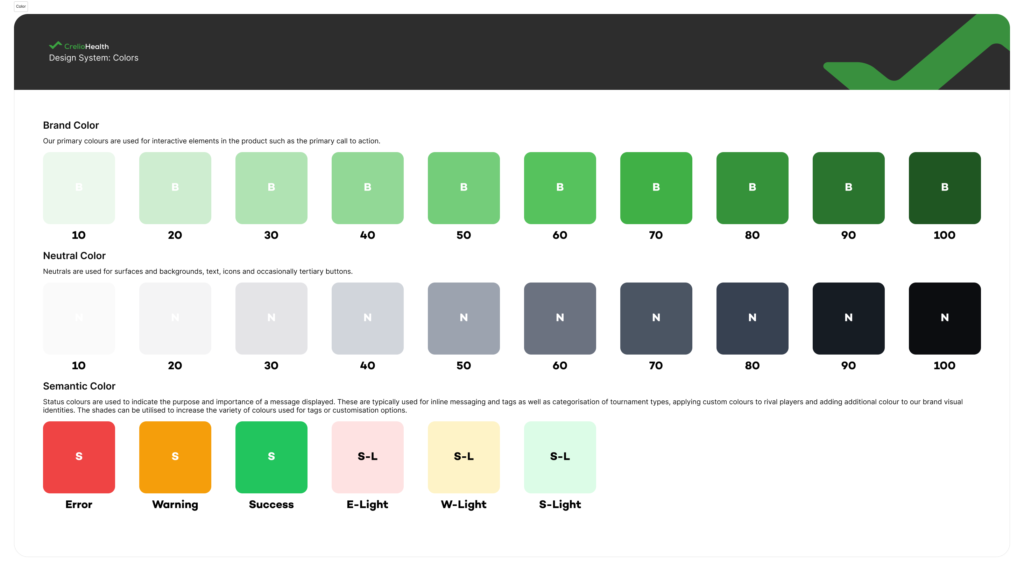
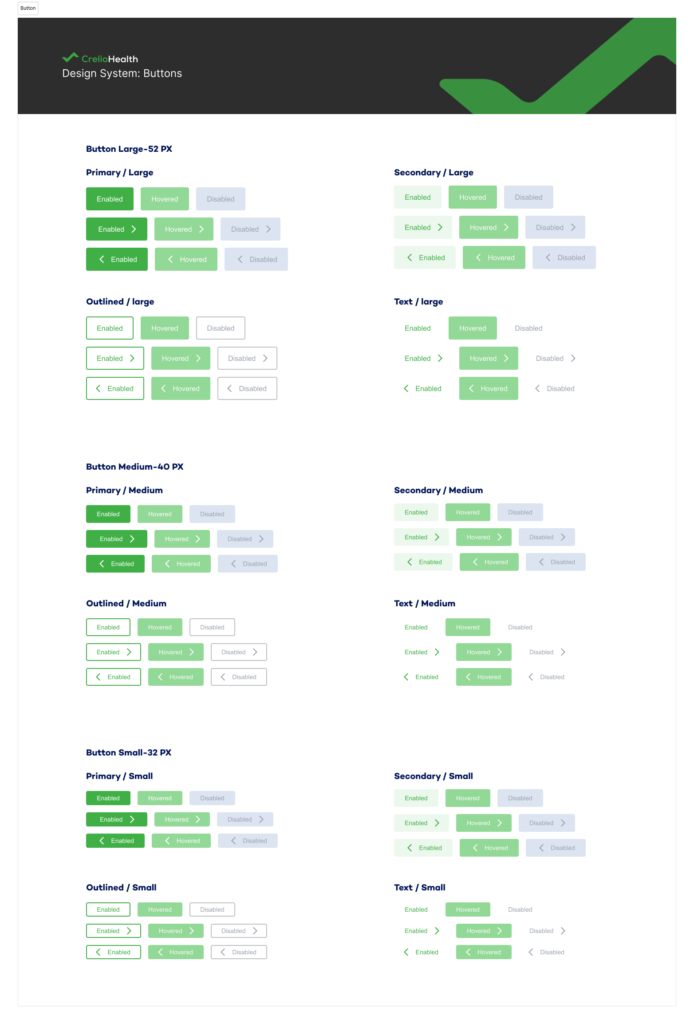
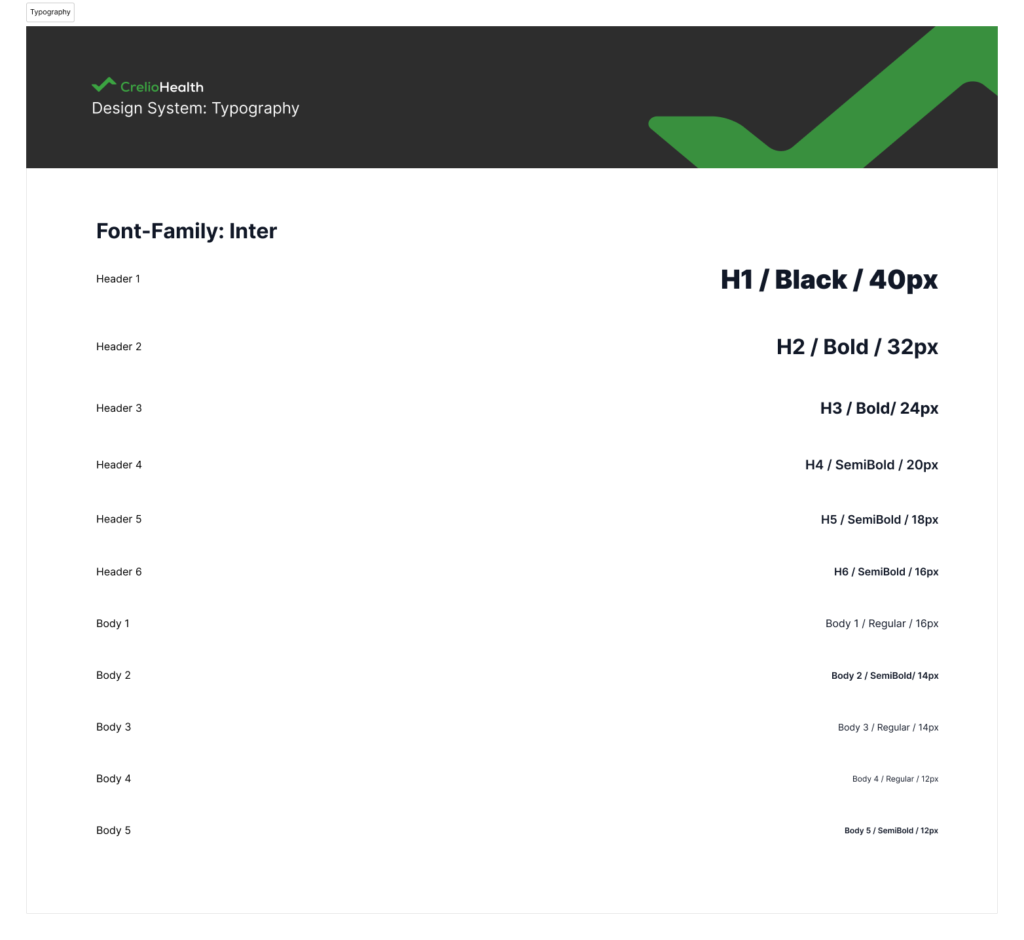
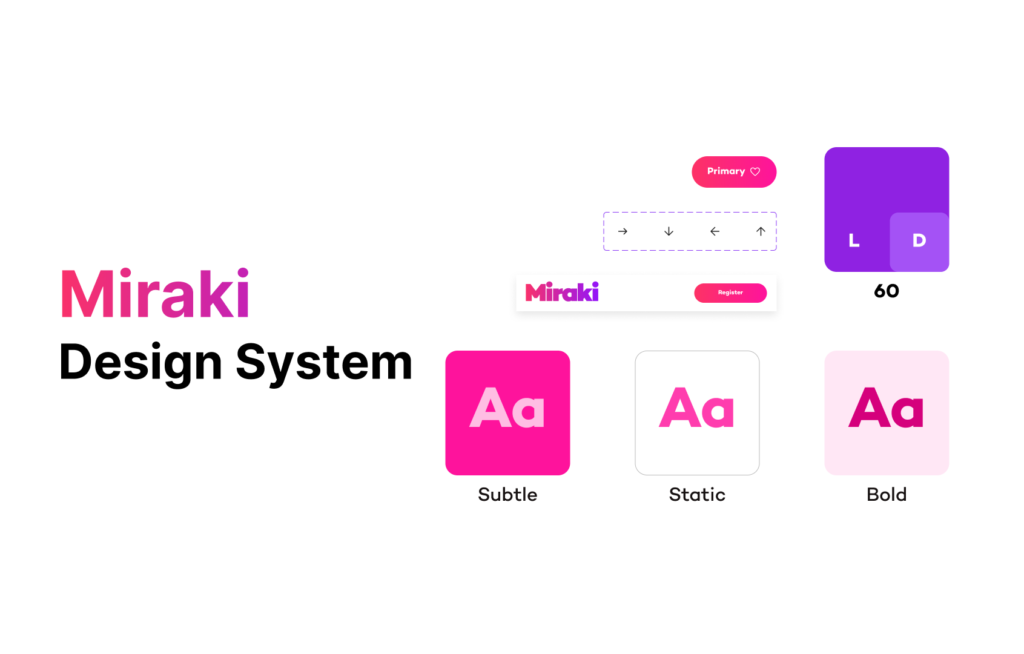
Design System
High- Fiedility Wireframe
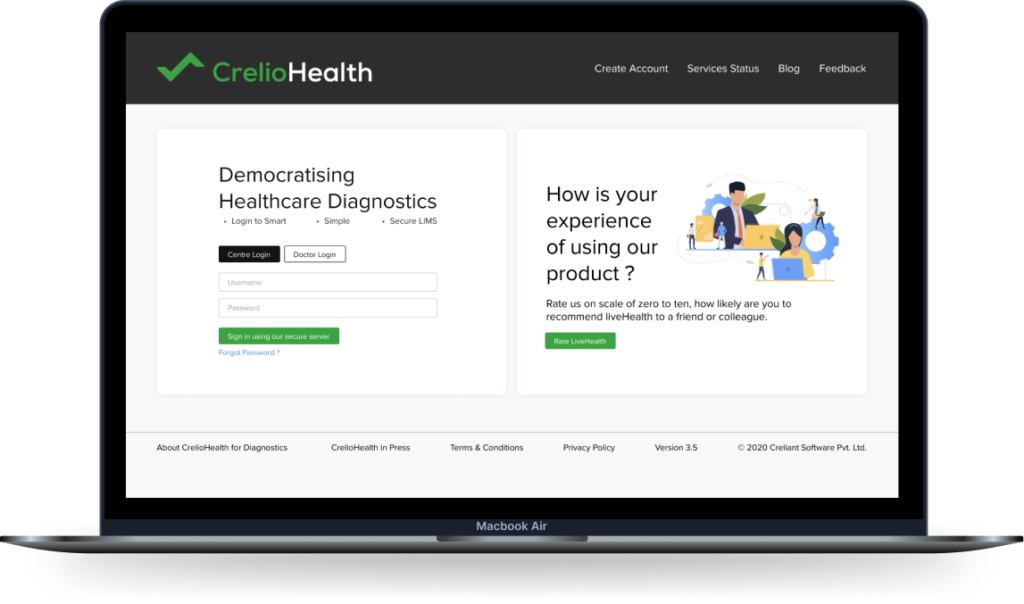
Login Screen
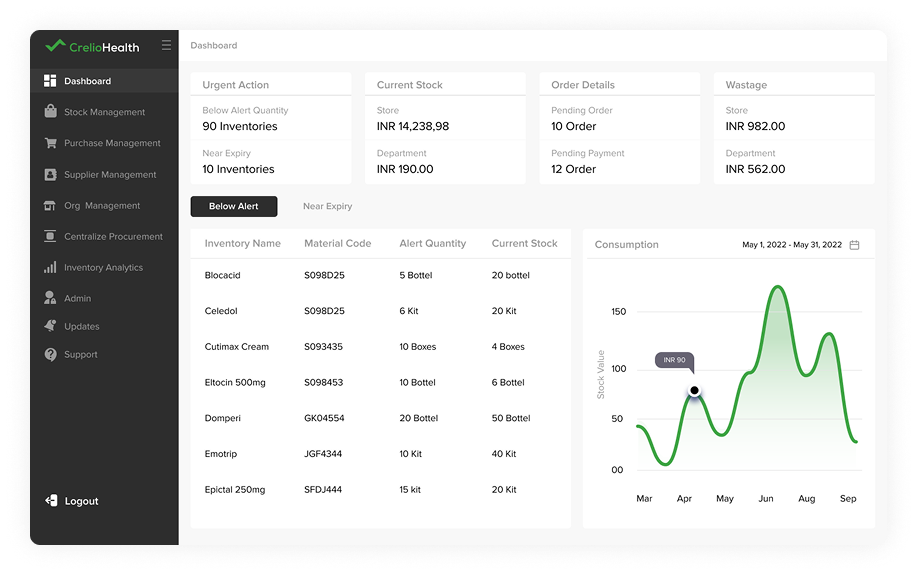
Dashboard
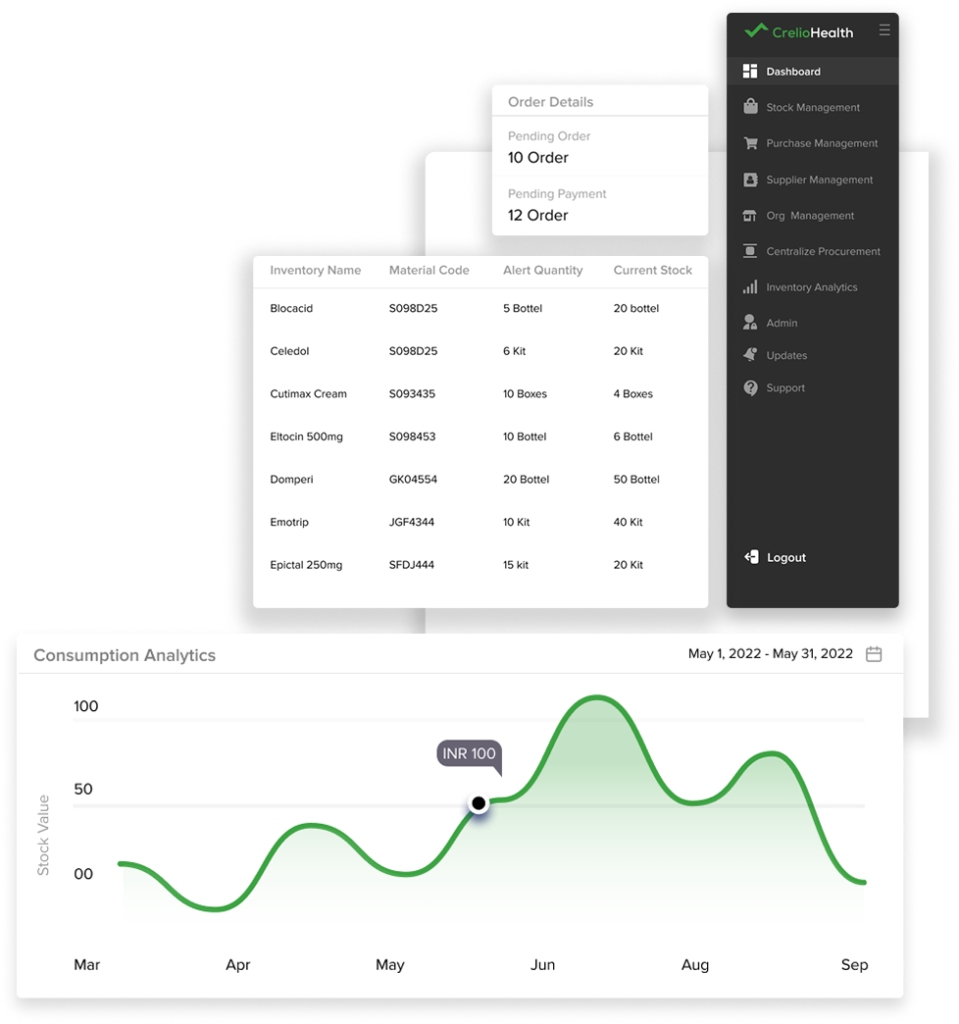
After login user arrive at Dashboard screen where user finds all primary details related to inventory management like urgent actions, near expiry, store stock, pending order, wastage details.
Stock Management
Stock Management
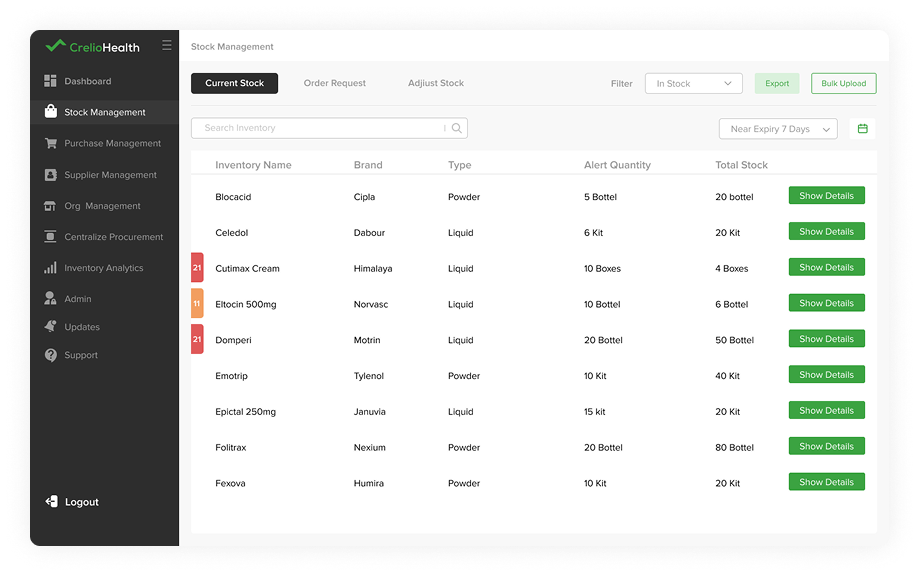
Here in stock management user can access details of available current stock using In-stock filter given on right top.
Out of Stock
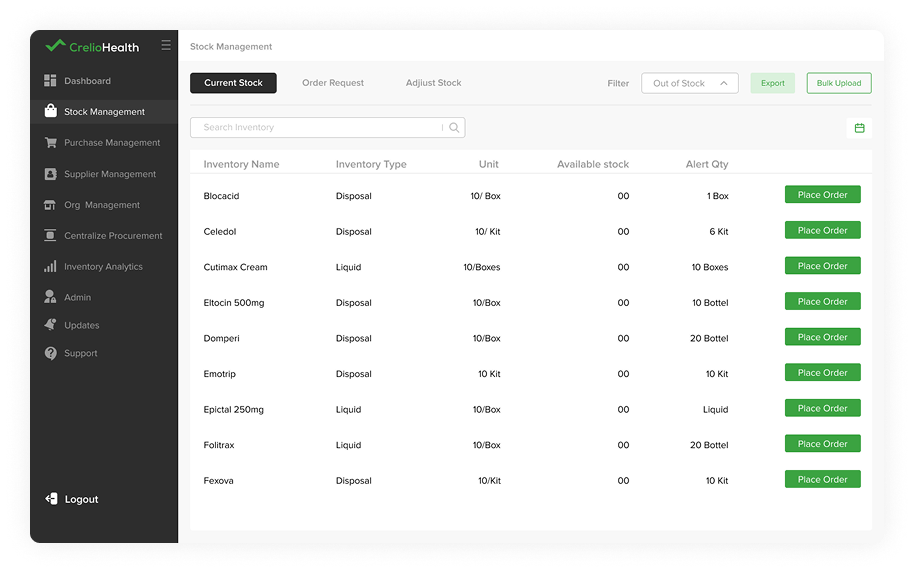
To fetch details of out-of stock user go to stock management and can access details of all out of stock using stock filter given on right top.
Expired Stock
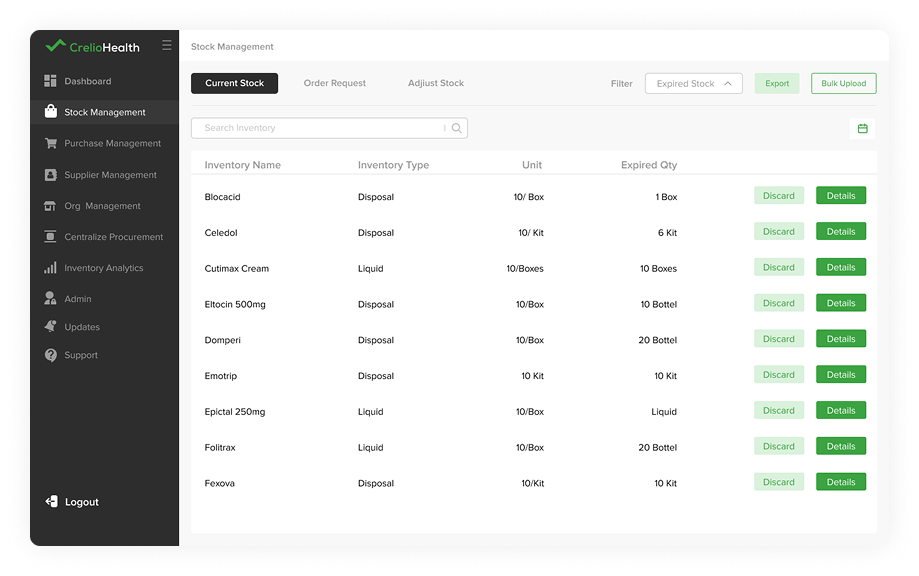
To view details of expired stock user will go to Stock management section where user can access details of all expired stock using expired stock filter given on right top.
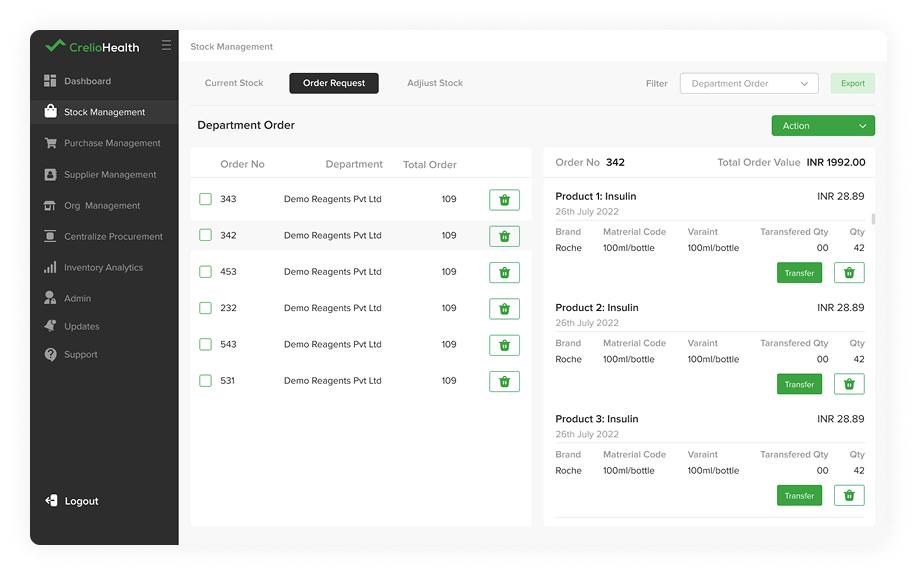
Department Order Request
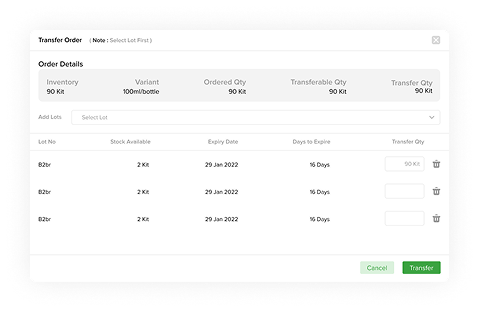
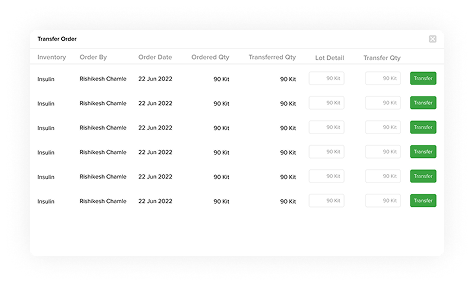
To view department order request and their details, user can select order request in top navigation. and can take required action like cancel all, export PO details , transfer, delete.
Department Order Request
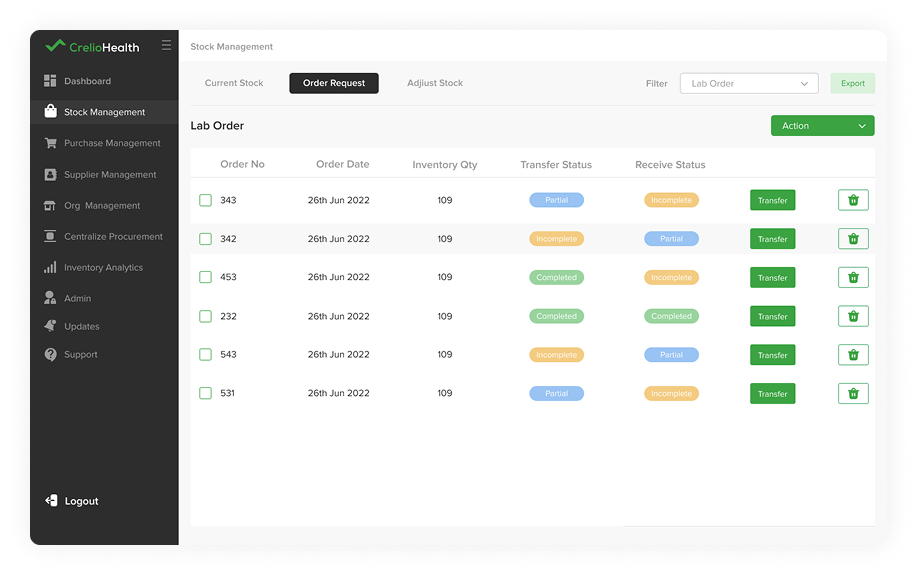
Lab Order Request
To check lab order and their details, user can select lab order request in top division filter and can take required action like cancel all, export PO details, transfer or delete request.
Department Order Request
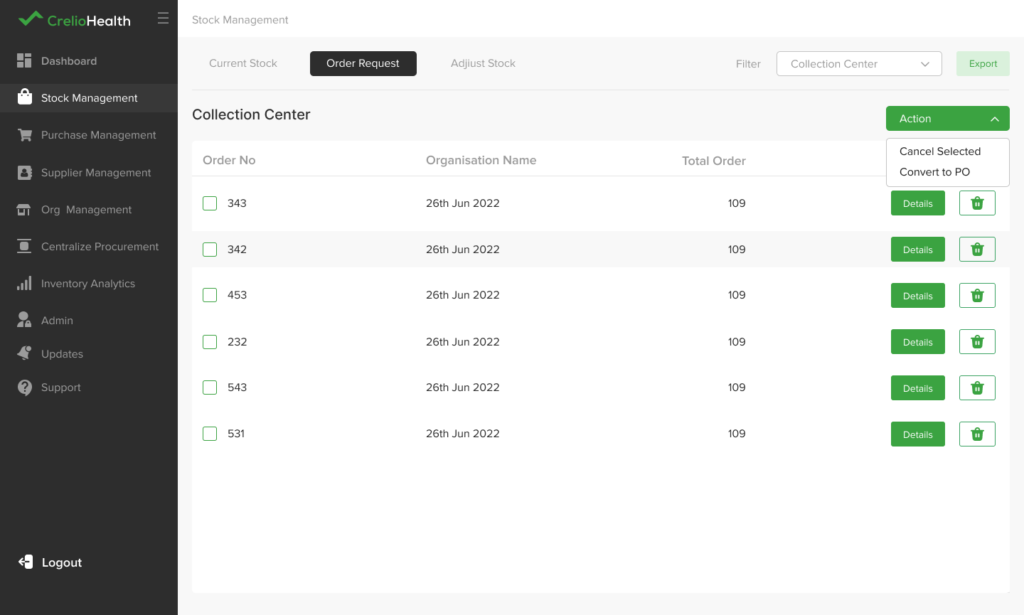
Collection Center Request
To check collection center order and their details, user can select collection center order request in top navigation. and can take required action like cancel all or export PO details.
Adjust Stock
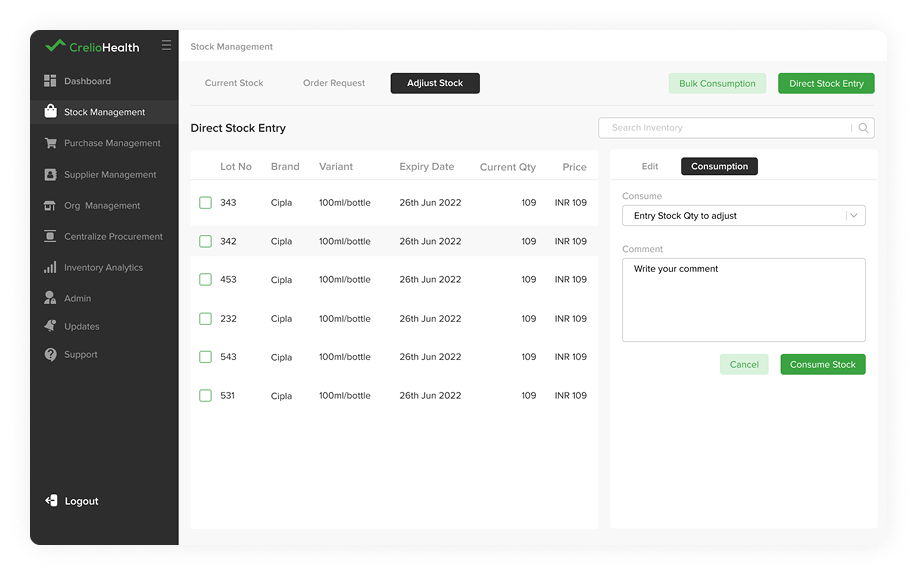
To update all consumption data after consumption user can go to adjust stock and can adjust stock manually by click on consume stock after inventory selection.
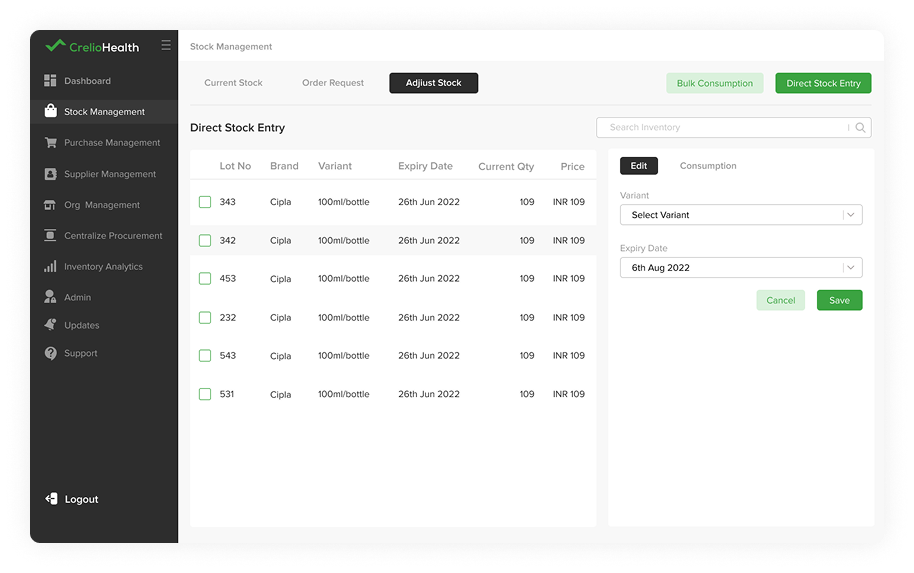
Edit Stock
User can edit stock details using edit section.
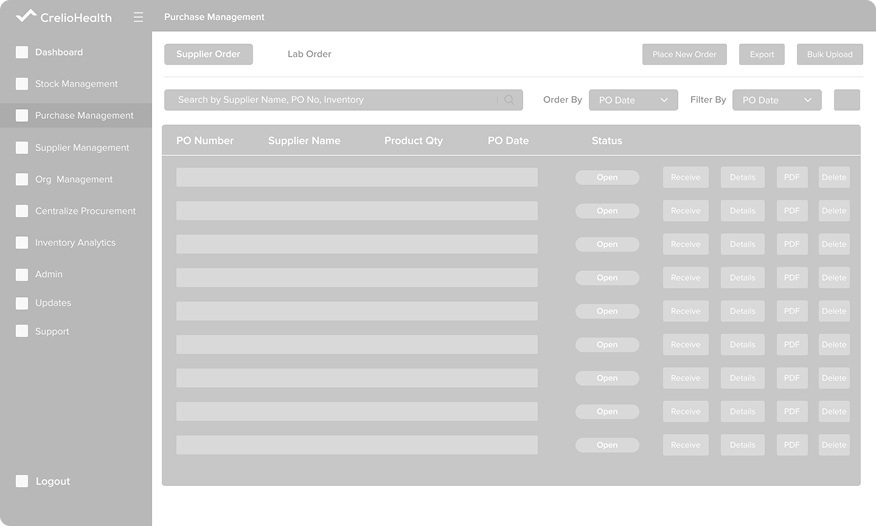
Purchase Management
Supplier Order
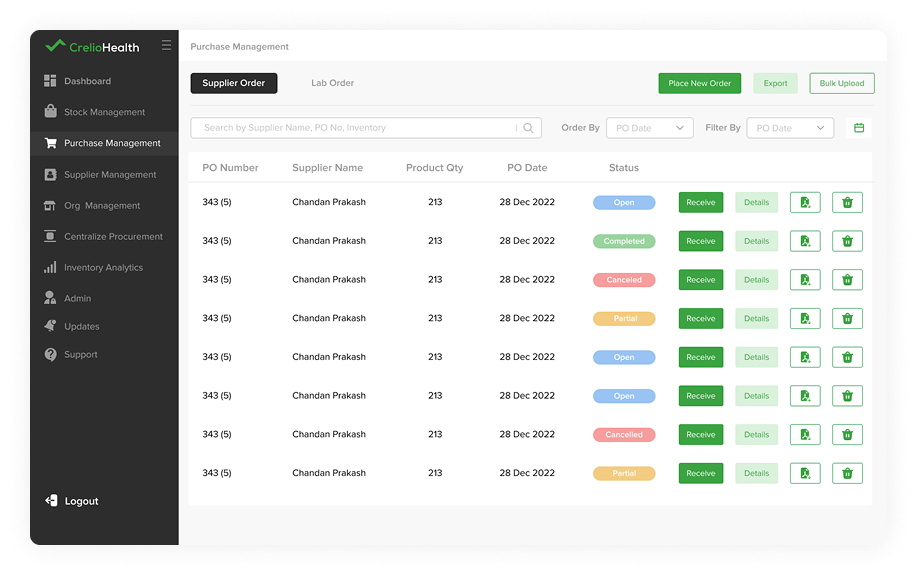
Using this Purchase section user can access all purchase order details also can place new order and receive orders.
General Details
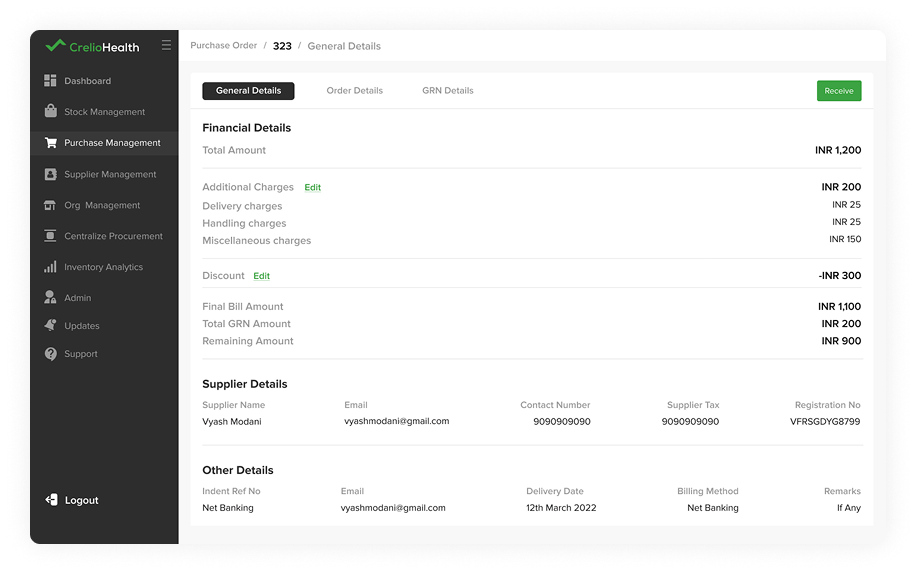
Using general details tab user can access all purchase order details like supplier and other details.
Order Details
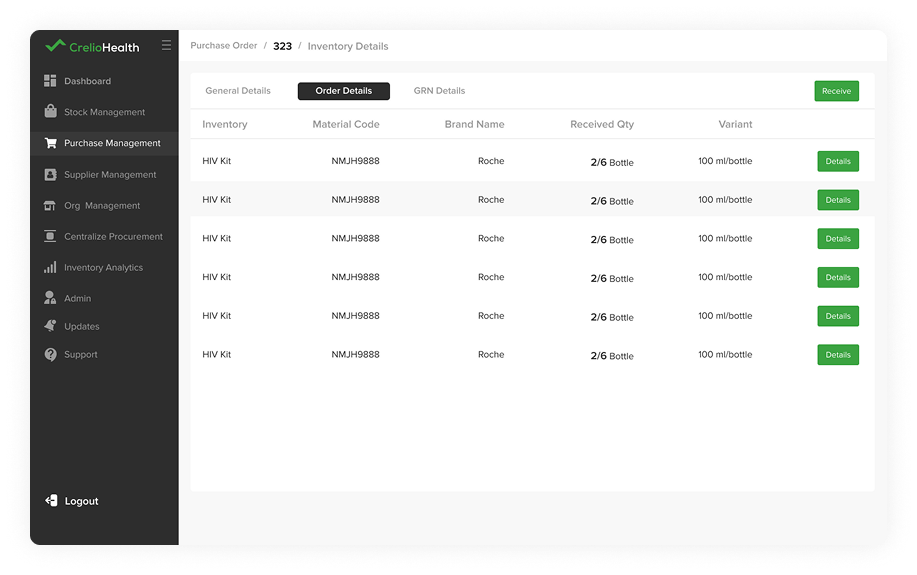
Using Order details tab user can access all inventory details of the placed order.
GRN Details
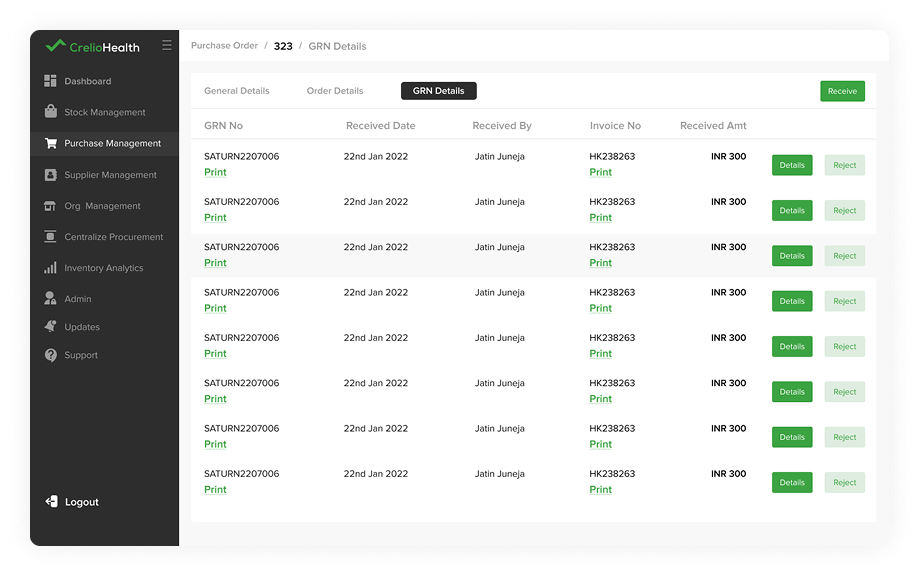
Using GRN details tab user can access all details of placed order.
Receive Order
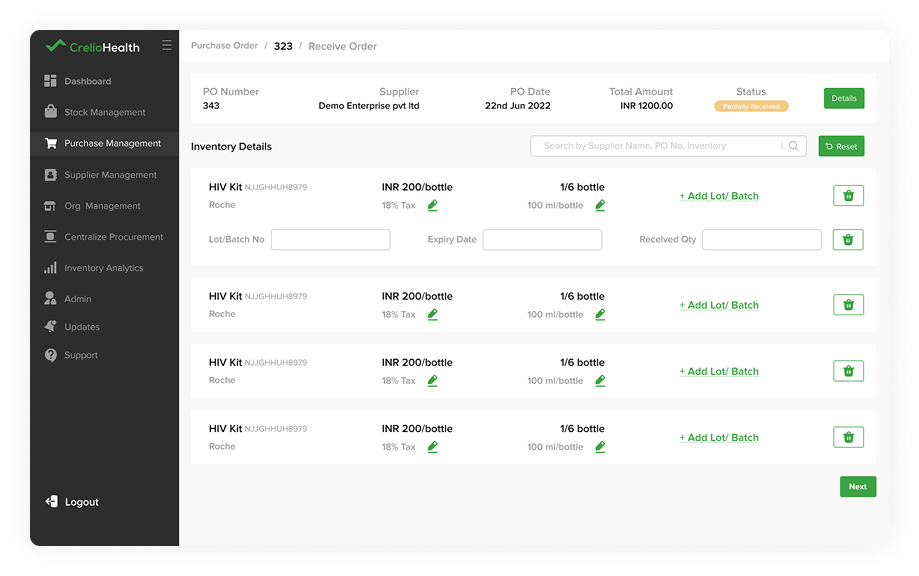
User can receive orders by entering lot and batch details of inventories received by lab user.
Confirmation
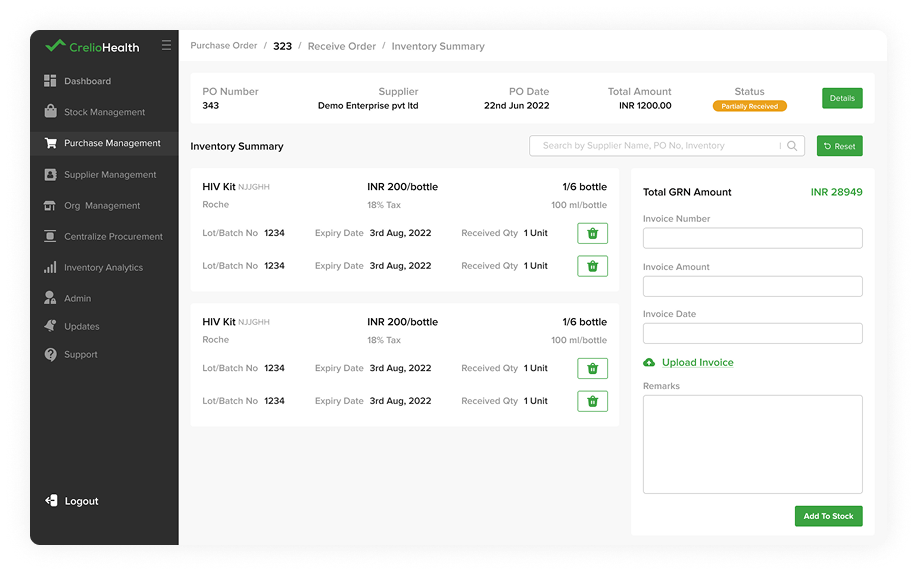
After entering all details, user needs to confirm all details, if not user can edit details and can update.
Place New Order
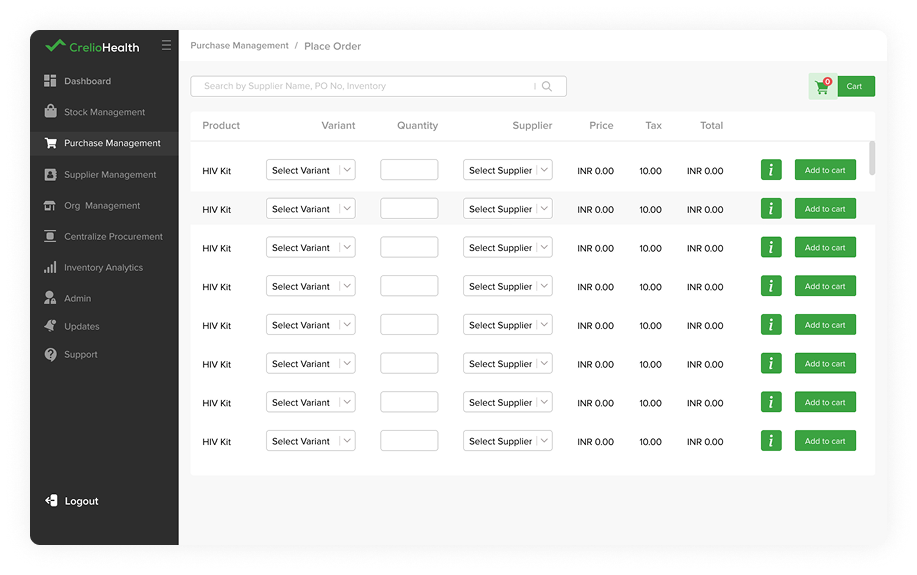
To place new orders user will click on place new order button and once user arrive at place order page then user enter all details required to add to cart.
Cart
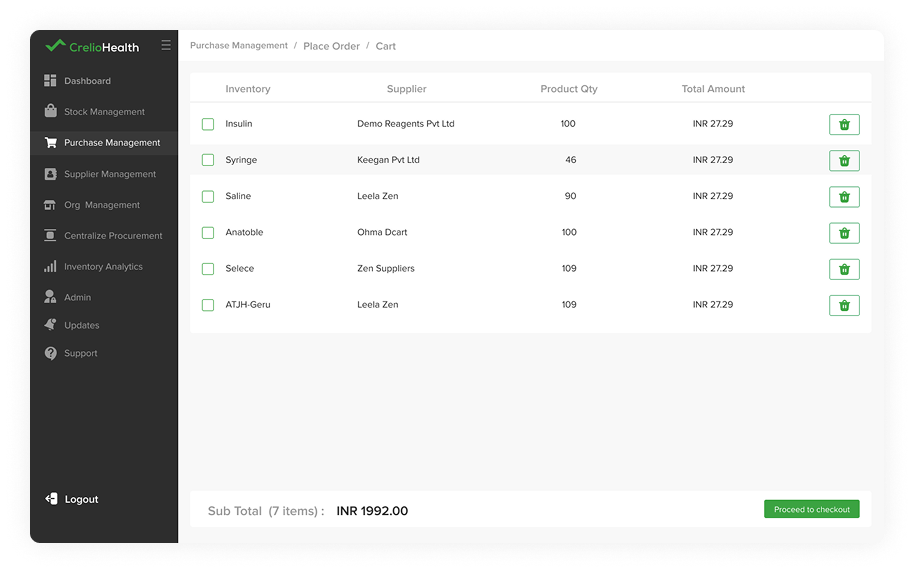
After adding inventory in cart, user will go to cart using cart button on place order page and then user will select required inventory and user will proceed to checkout or delete inventory from cart.
Order Details
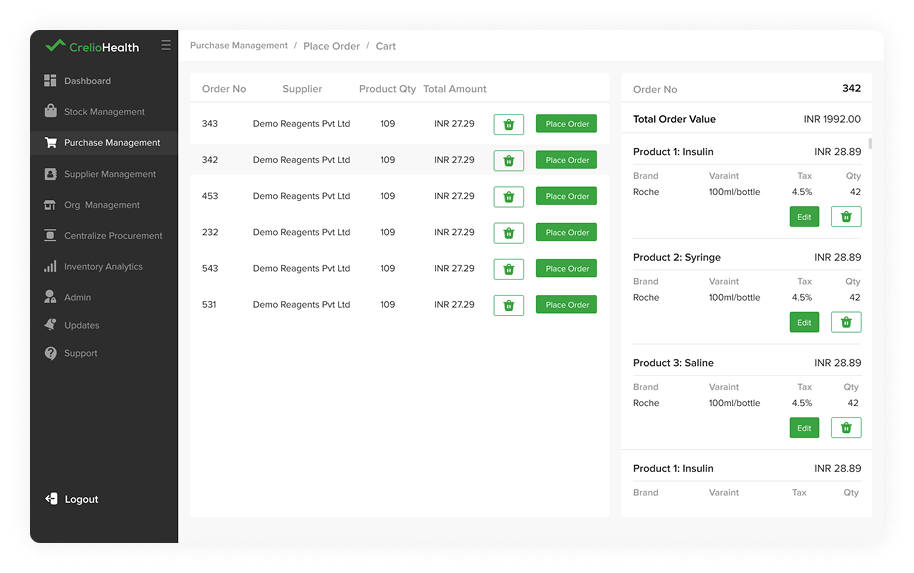
After checkout user can place order and can view all ordered inventory listing within order and user can also delete unwanted inventory from order before placing order.
Additional Details
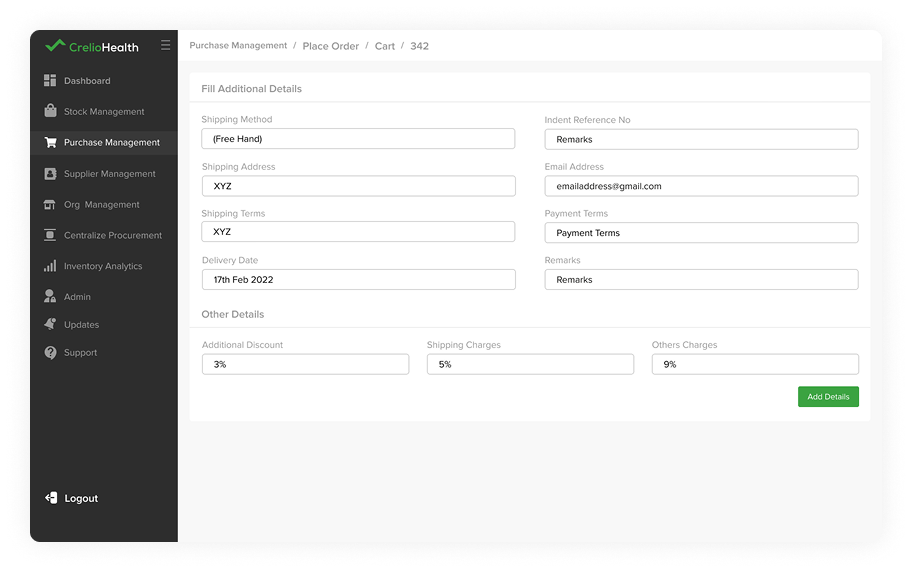
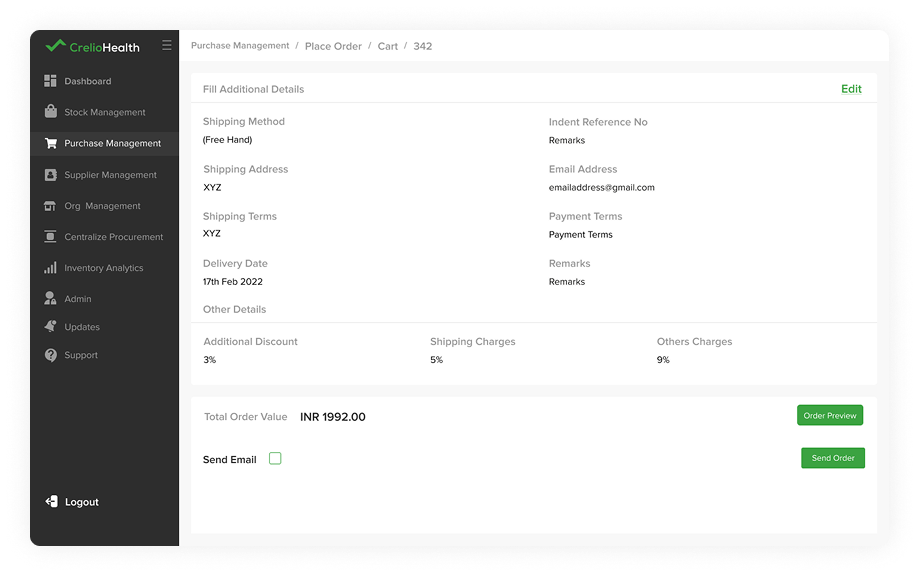
After placing order user will enter additional details required to purchase like discounts, shipping charges and other shipping details.
Send Order
After entering additional details user will make sure all purchase details and send order.
Supplier Management
Supplier Management
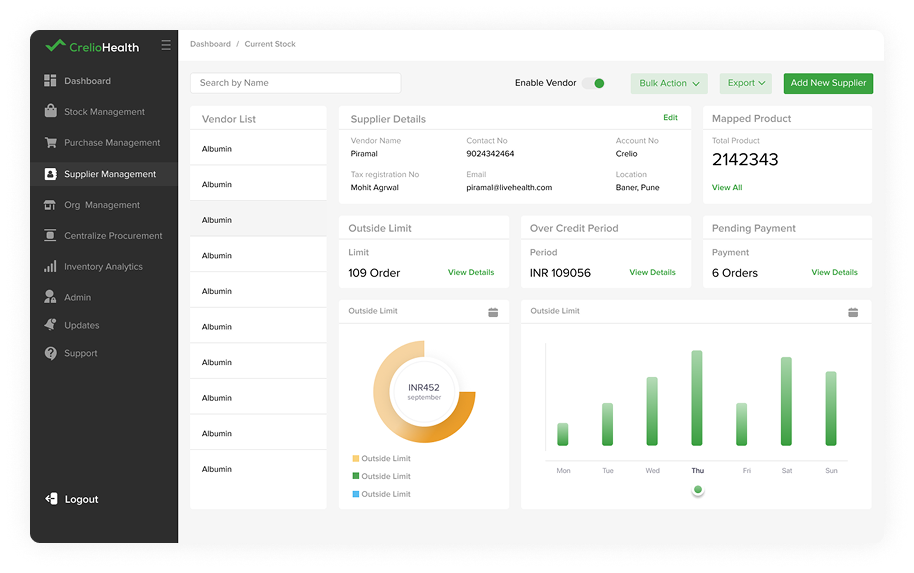
Using supplier management user can view all information of supplier, product list and can access credit over period and outside limit.
Pending Payment
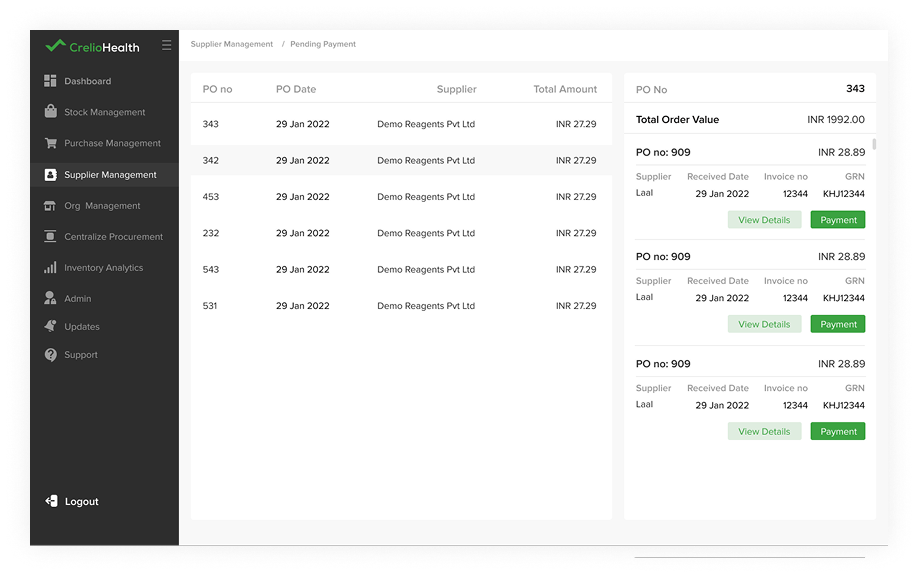
Using pending payment section user can view all pending payment and can also make payment.
Organization Stock Management
Organization Stock Management
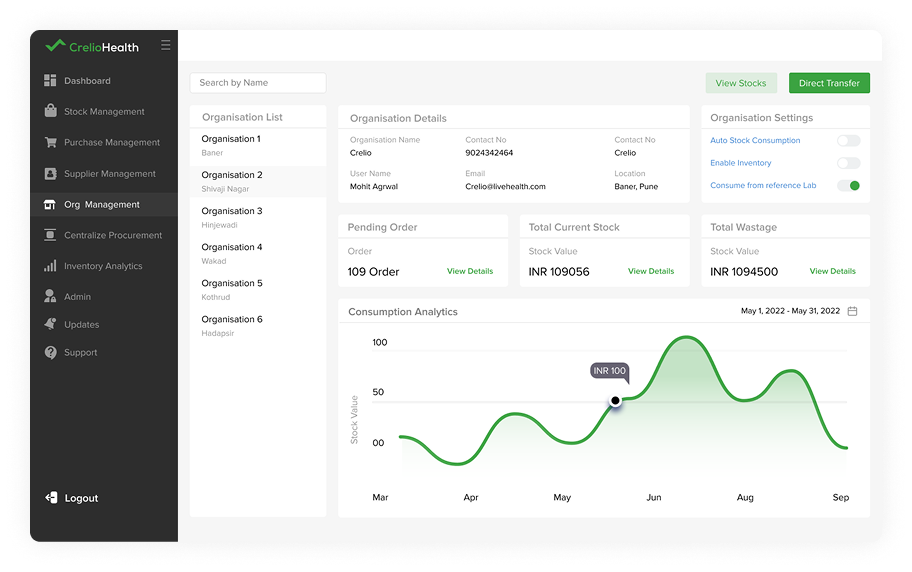
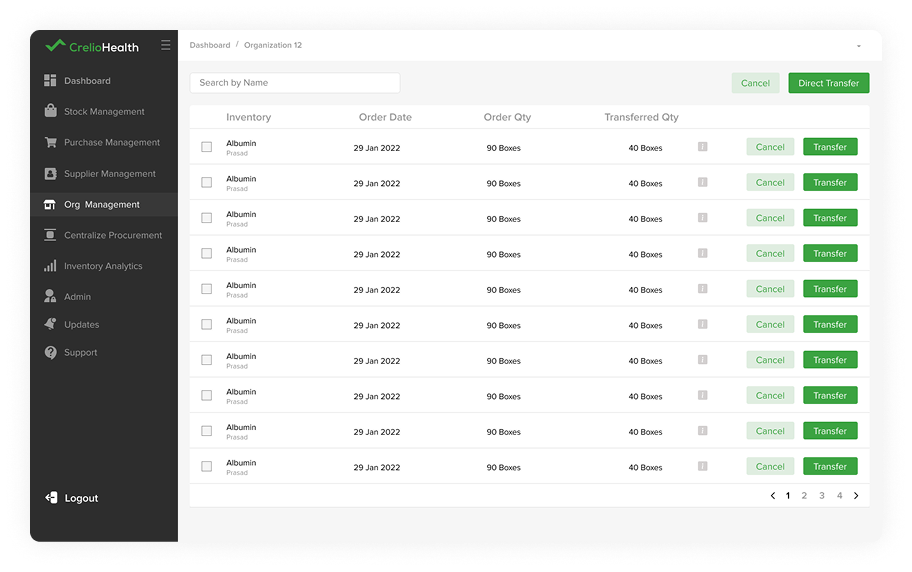
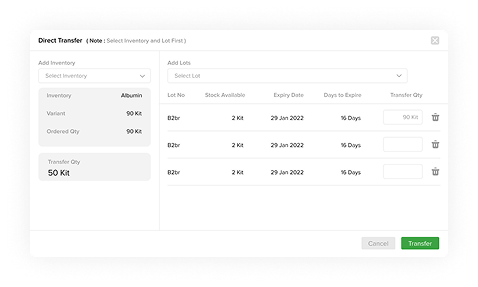
Using Organization stock management, user can connect with other organization and hospitals for internal inventory transactionand can also keep track of orders.
Pending Order
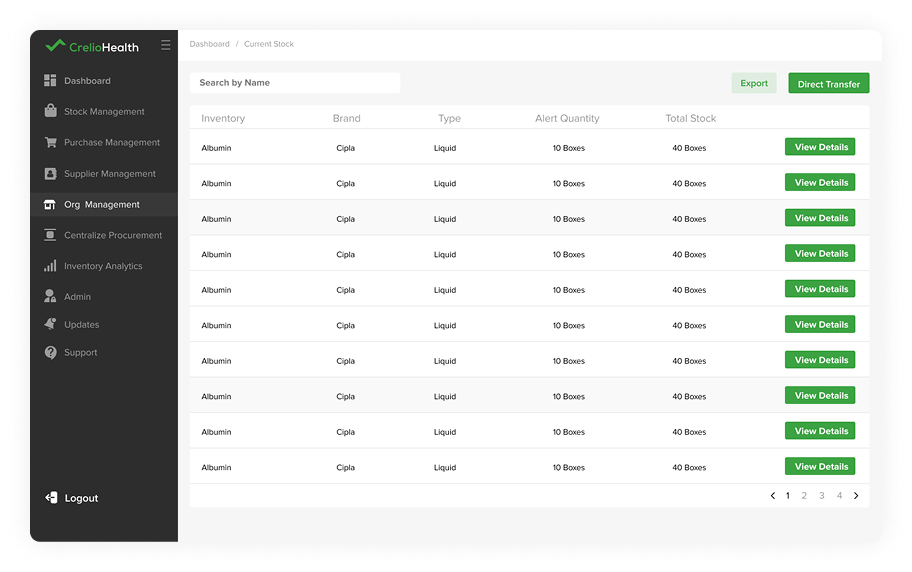
User can also view all stock availablea at organisation and their details.
Current Stock
Using Organization stock management, user can connect with other organization and hospitals for internal inventory transactionand can also keep track of orders.
Current Stock
Centralized Procurement
Centralized Procurement
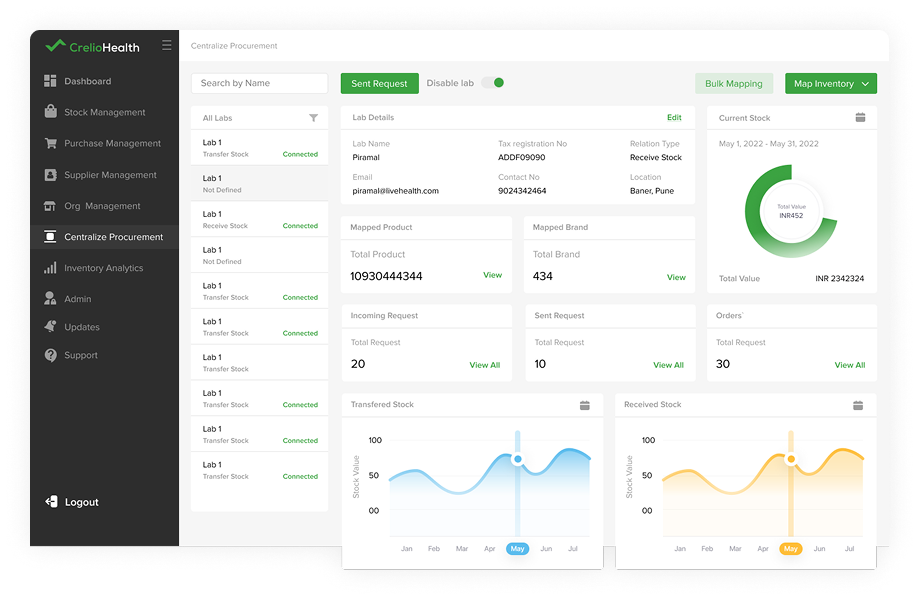
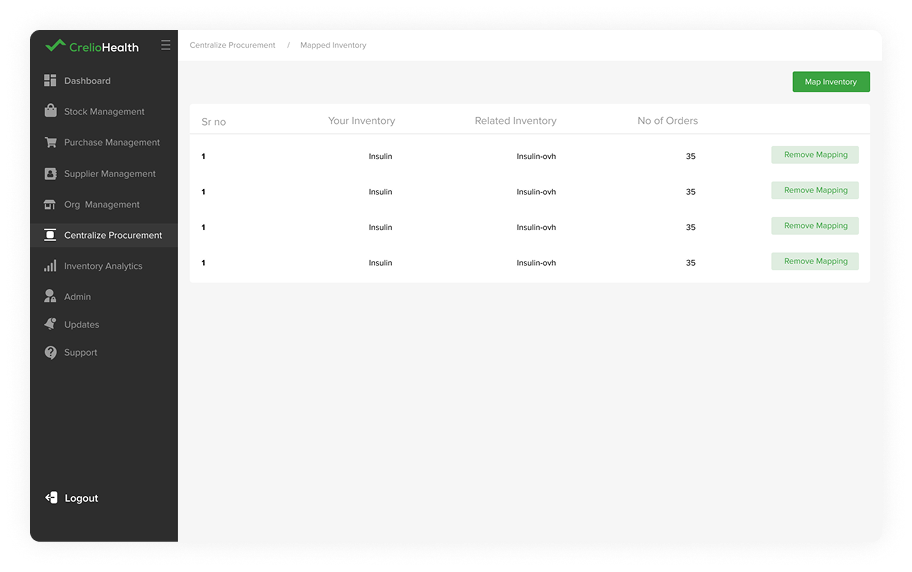
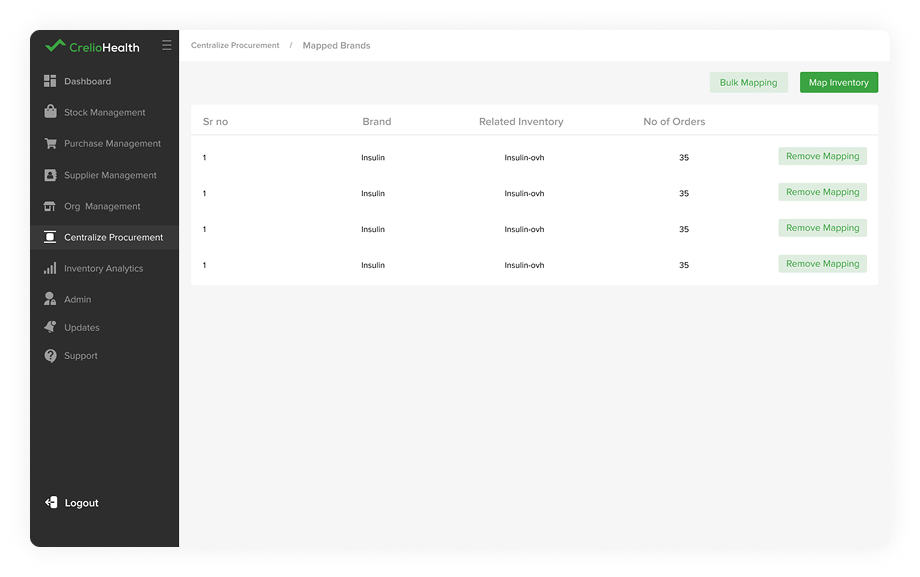
This section helps user to connect with multiple collection center and helps to keep track of inventory transactions.
Mapped Product
Here user can view available inventory at collection center.
Mapped Brand
Here user can view available brands at collection center.
Sent Request
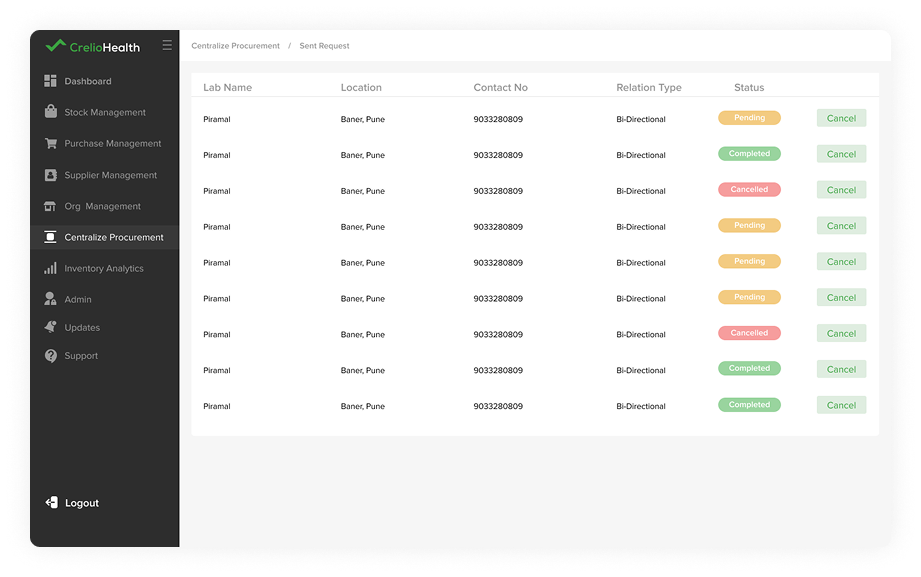
Using sent request section user can get information of all sent request to collection center to connect.
Incoming Request
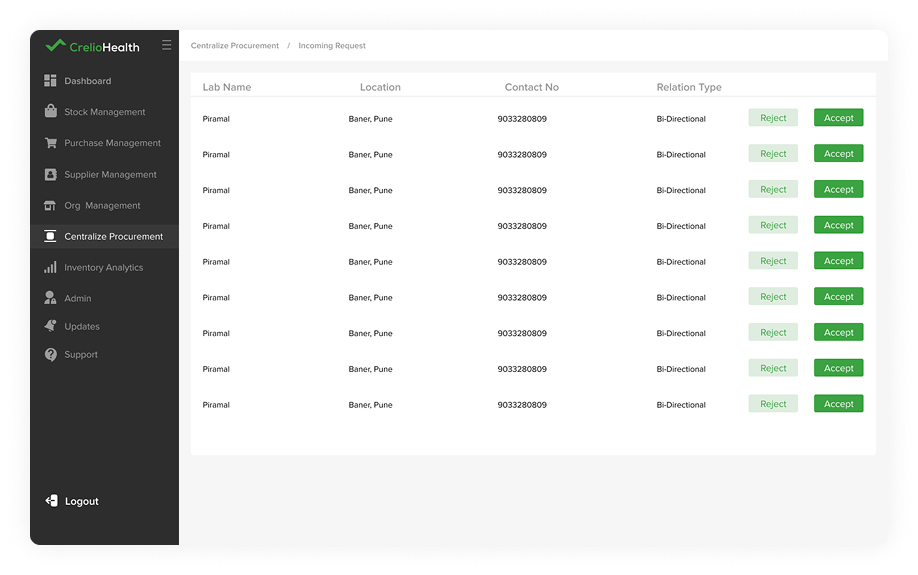
Using incoming request section user can get information of all incoming request to collection center to connect.
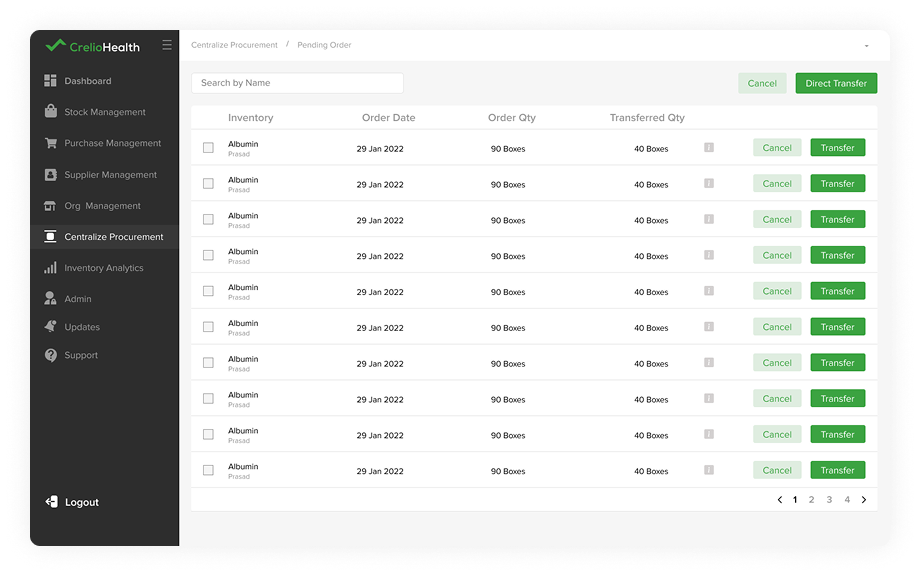
Pending Order
Here user can transfer order request.
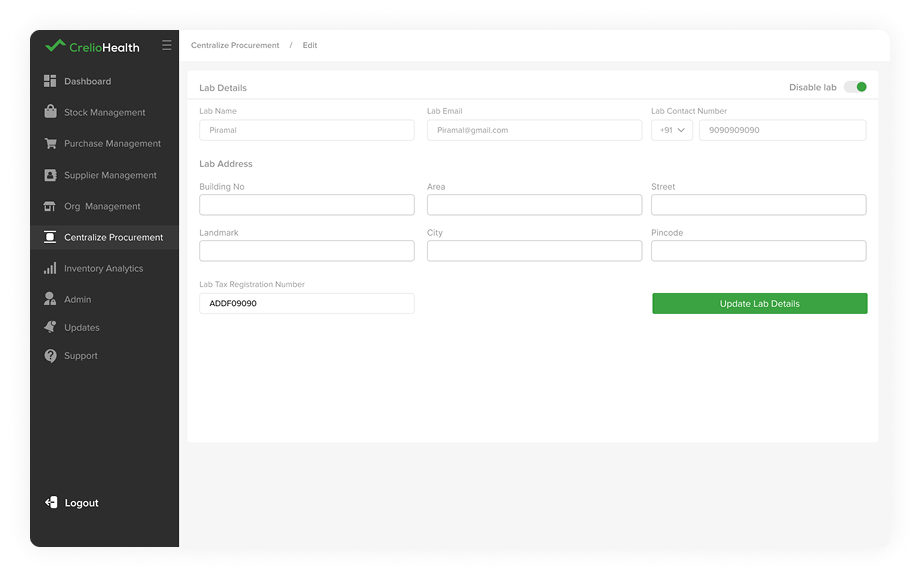
Edit Lab Details
Using this section user will be able to edit information.